

Your graphics add a nice touch to my presentations and I recently used them for one of my all-hands meetings. Your toolbox adds professionalism to my slides. Instead of using standard clipart.
Claude Jones, Director of Engineer, @Walmartlabs, USA

Your graphics add a nice touch to my presentations and I recently used them for one of my all-hands meetings. Your toolbox adds professionalism to my slides. Instead of using standard clipart.
Claude Jones, Director of Engineer, @Walmartlabs, USA
I needed a fresh look at some of my slides. I've tried to find a way to create a paintbrush effect, to underline, accentuate, add some color and the handwritten markers were just the things. Very easy to use, easy to size, change the color. It was an affordable, perfect solution and I'm happy to recommend it.
Anonymous, US
The crisp, clean look of the graphics, and the fact that it allowed me to easily edit and change the colors to match the template was my main reason for purchasing them.
Brandie Jenkins, E-learning Developer, USA
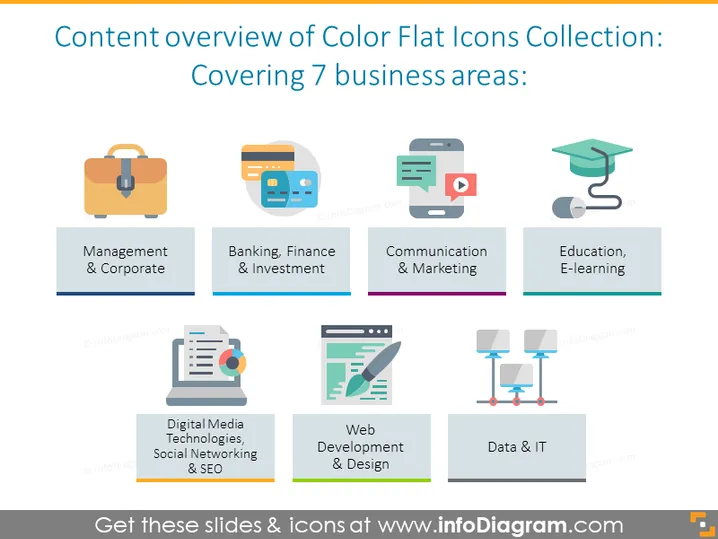
The slide presents a collection of color flat icons, each representing a different business area: Management & Corporate symbolized by a briefcase, suggesting organization and professionalism; Banking, Finance & Investment with a credit card icon indicating transactions and financial services; Communication & Marketing represented by a speech bubble and play button, denoting sharing of information and media; Education, E-learning with a graduation cap, symbolizing learning and academia; Digital Media Technologies, Social Networking & SEO depicted by a document with charts and a magnifying glass, representing data analysis and online visibility; Web Development & Design featuring tools and a cursor, suggesting the creation and styling of websites; Data & IT portrayed by networked servers, indicating information storage and technological infrastructure.
The slide is designed with a clean and modern look, utilizing a grid layout for a balanced and organized visual presentation. The use of color and flat design icons convey information in an accessible and visually appealing manner.



