
Reviews
Ihre Grafiken verleihen meinen Präsentationen eine nette Note, und ich habe sie kürzlich für eines meiner All-Hands-Meetings verwendet. Ihre Toolbox verleiht meinen Folien Professionalität, anstatt Standard-Clipart zu verwenden.
Ich brauchte einen neuen Blick auf einige meiner Folien. Ich habe versucht, einen Weg zu finden, einen Pinselschlag-Effekt zu erzielen, um zu unterstreichen, hervorzuheben, Farbe hinzuzufügen, und die handgeschriebenen Markierungen waren genau das Richtige. Sehr einfach zu bedienen, leicht in der Größe zu ändern, die Farbe zu ändern. Es war eine erschwingliche, perfekte Lösung und ich empfehle sie gerne weiter.
Die klare, saubere Optik der Grafiken und die Tatsache, dass ich die Farben leicht bearbeiten und an die Vorlage anpassen konnte, war mein Hauptgrund für den Kauf.
Description
Your sample title in two lines
Slide Content
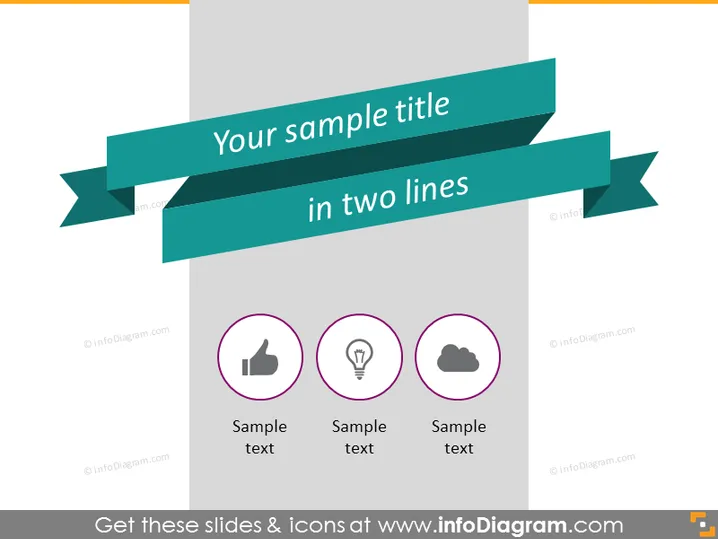
The PowerPoint slide showcases a central title banner with the text "Your sample title in two lines," indicating that this placeholder is meant for a concise presentation heading. Below the title, there are three circular icons, each accompanied by "Sample text," suggestive of a format for stating key points or categories. The left icon resembles a thumbs-up, implying approval or a positive aspect; the center icon depicts a lightbulb, typically representing an idea or innovation; and the right icon features a cloud, which may symbolize cloud computing, vagueness, or a plethora of other interpretations such as data storage or weather-related concepts.
Graphical Look
- The slide has a dark teal ribbon banner stretching across the slide horizontally with a stylistic fold and its tails pointing to the left, adding a three-dimensional effect.
- Text on the banner is white, maintaining strong contrast for readability, and is large enough to serve as the main focus of the slide title.
- There are three circular symbols centrally aligned beneath the ribbon, evenly spaced horizontally.
- Each icon is within a purple circle with a thin border and is set against a gray backdrop, promoting visual separation from the background.
- Icons are in white, which contrasts with the purple and complements the white text of the title.
- The chosen icons are universally recognizable symbols often used in presentations and digital interfaces.
The slide design is clean with a modern aesthetic, utilizing a limited color palette for a professional appearance. The icons are minimalistic, ensuring easy recognition and focus on the content.
Use Cases
- To introduce the main sections of a business presentation, delineating different topics or departments.
- As an agenda slide, offering a brief overview of the presentation's key points or themes.
- For summarizing the advantages or unique selling points of a product or business proposal.
- To display the core services or features of a company in trade shows or informational brochures.
How to Edit
How to edit text & colors

How to expand / shorten diagram

How to Replace Icons in infoDiagram PPT


