
Reviews
Sus gráficos añaden un toque agradable a mis presentaciones y recientemente los usé para una de mis reuniones generales. Su conjunto de herramientas añade profesionalismo a mis diapositivas. En lugar de usar imágenes prediseñadas estándar.
Necesitaba un aspecto fresco para algunas de mis diapositivas. Había intentado encontrar una forma de crear un efecto de pincel, de subrayar, acentuar, añadir algo de color y los marcadores escritos a mano fueron justo lo que necesitaba. Muy fácil de usar, fácil de ajustar el tamaño, cambiar el color. Fue una solución asequible y perfecta, y estoy feliz de recomendarla.
El aspecto nítido y limpio de los gráficos, y el hecho de que me permitiera editar y cambiar fácilmente los colores para que coincidieran con la plantilla fue mi principal razón para comprarlos.
Description
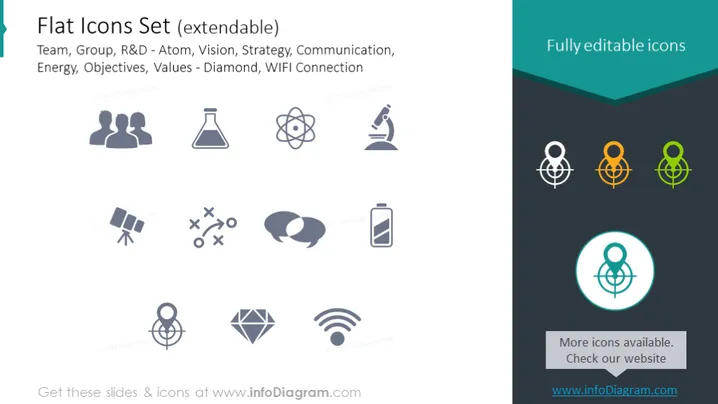
Flat Icons Set (extendable)
Slide Content
This slide is titled "Flat Icons Set (extendable)" and showcases a collection of icons representing various concepts relevant to business and teamwork. There are icons labeled: Team, Group, R&D - Atom, Vision, Strategy, Communication, Energy, Objectives, Values - Diamond, and WIFI Connection. Each icon is symbolic of the concept it represents; for instance, 'Team' is depicted by figures of two people, 'Vision' by an eye, 'Strategy' by a game plan, and 'Energy' by a lightning bolt, illustrating the diverse range of ideas these icons can communicate in a corporate setting.
Graphical Look
- The background of the slide is a solid white color.
- Eight shaded grey icons are evenly distributed horizontally across the slide, paired with black descriptive text underneath each icon.
- On the right side, the slide contains a graphic with three versions of the same icon (atomic symbol), in different colors indicating their editability.
- A circular turquoise accent with one of the icons placed inside it is shown, emphasizing the featured editable icon.
- A dark teal banner runs across the right side where the text "Fully editable icons" is prominently displayed.
- The bottom right contains a call-to-action box with a darker background and text encouraging to check more icons.
- The icons are simplistic, flat design style for easy comprehension and versatile use in different presentation contexts.
The overall look of the slide is clean and professional, with a modern flat design for the icons. It effectively showcases the style and variety of the icons, indicating adaptability for various presentation themes.
Use Cases
- Demonstrating different team roles, project phases, or strategic elements in a business plan presentation.
- Enhancing visual communication in training materials with icons that symbolize different concepts and ideas.
- Summarizing complex information with icons in executive summaries or reports to facilitate quick understanding.
- Incorporating into marketing materials to highlight services, features, or values with relevant and eye-catching visuals.
How to Edit
How to edit text & colors

How to expand / shorten diagram

How to Replace Icons in infoDiagram PPT


