
Reviews
Sus gráficos añaden un toque agradable a mis presentaciones y recientemente los usé para una de mis reuniones generales. Su conjunto de herramientas añade profesionalismo a mis diapositivas. En lugar de usar imágenes prediseñadas estándar.
Necesitaba un aspecto fresco para algunas de mis diapositivas. Había intentado encontrar una forma de crear un efecto de pincel, de subrayar, acentuar, añadir algo de color y los marcadores escritos a mano fueron justo lo que necesitaba. Muy fácil de usar, fácil de ajustar el tamaño, cambiar el color. Fue una solución asequible y perfecta, y estoy feliz de recomendarla.
El aspecto nítido y limpio de los gráficos, y el hecho de que me permitiera editar y cambiar fácilmente los colores para que coincidieran con la plantilla fue mi principal razón para comprarlos.
Description
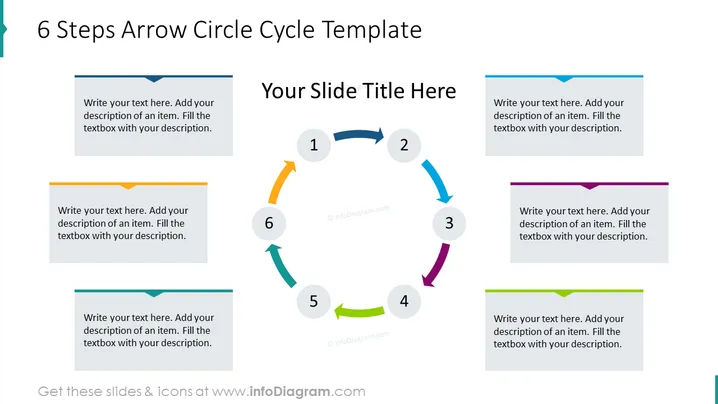
6 Steps Arrow Circle Cycle Template
Slide Content
The slide presents a circular cycle divided into six steps indicated by arrows, each pointing to the next number in the sequence representing a step in a process. Each arrow and its corresponding number are associated with a text box for elaboration. This format allows for a process or workflow to be explained in a cyclical manner, emphasizing the ongoing or repeating nature of the steps.
- Step 1 - The start of the cycle, usually the first action or stage in a process.
- Step 2 - Follows the initial step, indicating a subsequent action.
- Step 3 - The mid-point, often a crucial stage in continuity.
- Step 4 - Leads to nearing the completion of a cycle.
- Step 5 - Precedes the final step, might involve preparation for closure or review.
- Step 6 - The last step that usually leads directly back to the first, signifying repetition.
Graphical Look
- Central circular cycle with arrows in a clockwise formation.
- Each arrow is a different color, creating a visually distinct path through the cycle.
- Six circular numbered elements are aligned along the path of the arrows.
- Six corresponding text boxes, each flanking the central circle, match the colors of the arrows.
- The text boxes contain placeholder text for customization.
The slide is visually balanced, with a central focus on the arrow circle cycle. The varied colors add vibrancy, and the circular flow denotes a continuous process.
Use Cases
- To represent a continual process or cycle in business process presentations.
- As a visual aid in training materials to outline phased training stages.
- In marketing presentations to show the lifecycle of a product or service.
- For project management to visualize stages in project development or iteration cycles.
How to Edit
How to edit text & colors

How to expand / shorten diagram

How to Replace Icons in infoDiagram PPT


