
Reviews
Sus gráficos añaden un toque agradable a mis presentaciones y recientemente los usé para una de mis reuniones generales. Su conjunto de herramientas añade profesionalismo a mis diapositivas. En lugar de usar imágenes prediseñadas estándar.
Necesitaba un aspecto fresco para algunas de mis diapositivas. Había intentado encontrar una forma de crear un efecto de pincel, de subrayar, acentuar, añadir algo de color y los marcadores escritos a mano fueron justo lo que necesitaba. Muy fácil de usar, fácil de ajustar el tamaño, cambiar el color. Fue una solución asequible y perfecta, y estoy feliz de recomendarla.
El aspecto nítido y limpio de los gráficos, y el hecho de que me permitiera editar y cambiar fácilmente los colores para que coincidieran con la plantilla fue mi principal razón para comprarlos.
Description
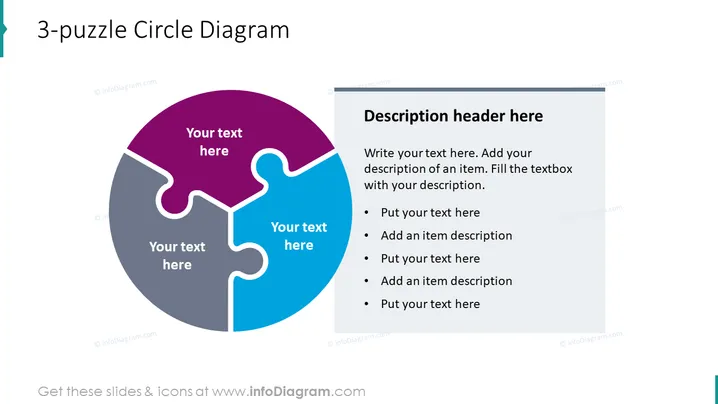
3-puzzle Circle Diagram
Slide Content
The slide portrays a 3-puzzle Circle Diagram utilized for illustrating interconnected ideas or groups. Each puzzle piece represents a segment which can be filled with relevant text to show how the three components fit together to form a complete concept or solution. This graphical representation is particularly useful in showcasing systems that require collaborative efforts or a holistic approach.
Graphical Look
- A three-part circular puzzle diagram dominates the left side of the slide. Each puzzle piece is a different color: one is purple, another gray, and the third blue.
- Text placeholders are positioned within each puzzle piece for inserting custom descriptions.
- The right side features a rectangular text box with a heading and bullet list. It has space for a description header and subsequent text entries.
- The bullet list inside the text box contains three bullet points, each prefaced with the phrase "Put your text here," followed by a sub-item labeled "Add an item description."
- The slide has a white background which emphasizes the color and simplicity of the diagram and text box.
The slide strikes a balance between visual elements and text, inviting the viewer to integrate their information into a structured format. The use of contrasting colors in the diagram aids in differentiating each section clearly.
Use Cases
- Explaining how various aspects of a project or concept interlock and work together.
- Breaking down the components of a service or product into three key parts for a presentation.
- Showcasing a business strategy that involves three crucial elements, highlighting their interdependencies.
- Using it in educational settings to explain tripartite relationships within a topic or theory.
How to Edit
How to edit text & colors

How to expand / shorten diagram

How to Replace Icons in infoDiagram PPT


