
Reviews
Your graphics add a nice touch to my presentations and I recently used them for one of my all-hands meetings. Your toolbox adds professionalism to my slides. Instead of using standard clipart.
I needed a fresh look at some of my slides. I've tried to find a way to create a paintbrush effect, to underline, accentuate, add some color and the handwritten markers were just the things. Very easy to use, easy to size, change the color. It was an affordable, perfect solution and I'm happy to recommend it.
The crisp, clean look of the graphics, and the fact that it allowed me to easily edit and change the colors to match the template was my main reason for purchasing them.
Description
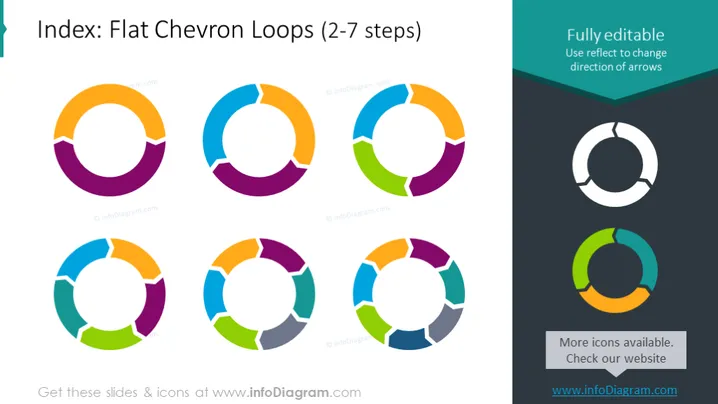
Index: Flat Chevron Loops (2-7 steps)
Slide Content
The slide is titled "Index: Flat Chevron Loops (2-7 steps)" and showcases a series of circular diagrams with varying numbers of segments from two to seven, each segment depicted as a chevron. These diagrams illustrate the flexibility in showing different numbers of steps or phases in a process. The two-step loop signifies a simplistic binary process, while the seven-step loop mirrors a more complex, multi-phase progression.
Graphical Look
- The slide background is white.
- There are seven circular diagrams of varying colors arranged in a 3x3 grid pattern, with the third column containing additional text instead of circles.
- Each circle is a flat design chevron loop with arrows in a circular motion; the number of arrows increases with each step variation.
- Colors of the diagrams vary, with adjacent chevrons within a diagram showing contrasting colors for visual distinction.
- The top right corner has a dark box with text "Fully editable" highlighted over a darkened banner that spans across the top.
- A sidebar on the right side contains two chevron loop diagrams with fewer segments, one in grayscale and the other in a two-tone color scheme, accompanied by editing instructions and additional information, respectively.
The slide features a clean and modern design with a clear layout. High contrasting colors make the content stand out and easy to understand at a glance.
Use Cases
- To represent cyclical processes or workflows in a business presentation, highlighting different stages or steps in a process.
- As an organizational tool to display continuous improvement loops or feedback cycles in quality management systems.
- Useful in training materials to showcase the steps of a procedure that loops back to the start, such as iterative software development processes.
- To visually summarize the phases of a project or campaign in marketing and strategic planning presentations.
How to Edit
How to edit text & colors

How to expand / shorten diagram

How to Replace Icons in infoDiagram PPT


