
Reviews
Ihre Grafiken verleihen meinen Präsentationen eine nette Note, und ich habe sie kürzlich für eines meiner All-Hands-Meetings verwendet. Ihre Toolbox verleiht meinen Folien Professionalität, anstatt Standard-Clipart zu verwenden.
Ich brauchte einen neuen Blick auf einige meiner Folien. Ich habe versucht, einen Weg zu finden, einen Pinselschlag-Effekt zu erzielen, um zu unterstreichen, hervorzuheben, Farbe hinzuzufügen, und die handgeschriebenen Markierungen waren genau das Richtige. Sehr einfach zu bedienen, leicht in der Größe zu ändern, die Farbe zu ändern. Es war eine erschwingliche, perfekte Lösung und ich empfehle sie gerne weiter.
Die klare, saubere Optik der Grafiken und die Tatsache, dass ich die Farben leicht bearbeiten und an die Vorlage anpassen konnte, war mein Hauptgrund für den Kauf.
Description
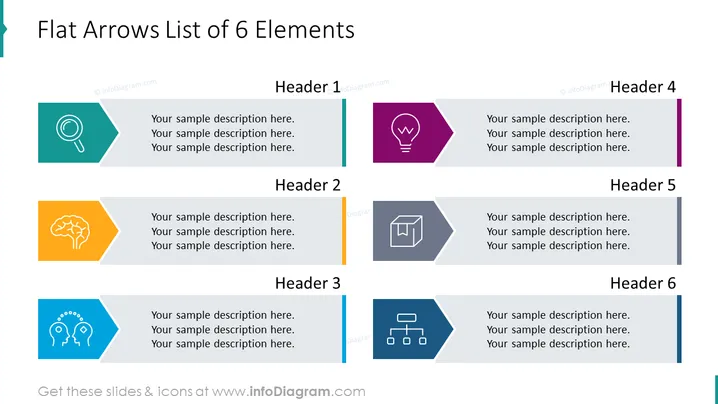
Flat Arrows List of 6 Elements
Slide Content
The slide presents a list of six elements, each accompanied by a distinct colored arrow, icon, and text area for further description. The arrows point rightwards, suggesting a progression or sequence. Each element is titled "Header" followed by its respective number (1 to 6), accompanied by "Your sample description here" placeholder text, indicating where detailed explanations can be added. These elements could represent steps in a process, key points in a presentation, or categories in a classification system, inviting the presenter to specify their content.
Graphical Look
- Six flat arrow shapes, each with a different color (teal, dark purple, orange, light blue, grey, dark blue), pointing right.
- Inside each arrow is a white icon, which corresponds to different themes or actions (magnifying glass, light bulb, brain, squares and arrows, gear heads, hierarchy).
- Next to each arrow is a placeholder text box for a descriptive header and additional text.
- The background is white, providing high contrast for the arrows and icons.
- Each arrow with its icon and text is evenly distributed over two rows and three columns on the slide.
The slide has a clean, modern aesthetic, with bold colors and minimalist icons that facilitate quick comprehension. The uniform arrangement of elements creates a structured and visually appealing layout that's easy to follow.
Use Cases
- To outline the steps of a business process or workflow in a clear, sequential manner.
- To present key features or benefits of a product or service, with each arrow representing a unique selling point.
- To categorize information into six distinct groups, helping the audience to understand the division of concepts.
- To summarize the agenda or topics of a meeting or presentation, with each arrow corresponding to a different item on the list.
How to Edit
How to edit text & colors

How to expand / shorten diagram

How to Replace Icons in infoDiagram PPT


