
Reviews
Ihre Grafiken verleihen meinen Präsentationen eine nette Note, und ich habe sie kürzlich für eines meiner All-Hands-Meetings verwendet. Ihre Toolbox verleiht meinen Folien Professionalität, anstatt Standard-Clipart zu verwenden.
Ich brauchte einen neuen Blick auf einige meiner Folien. Ich habe versucht, einen Weg zu finden, einen Pinselschlag-Effekt zu erzielen, um zu unterstreichen, hervorzuheben, Farbe hinzuzufügen, und die handgeschriebenen Markierungen waren genau das Richtige. Sehr einfach zu bedienen, leicht in der Größe zu ändern, die Farbe zu ändern. Es war eine erschwingliche, perfekte Lösung und ich empfehle sie gerne weiter.
Die klare, saubere Optik der Grafiken und die Tatsache, dass ich die Farben leicht bearbeiten und an die Vorlage anpassen konnte, war mein Hauptgrund für den Kauf.
Description
Your Agenda Title
Slide Content
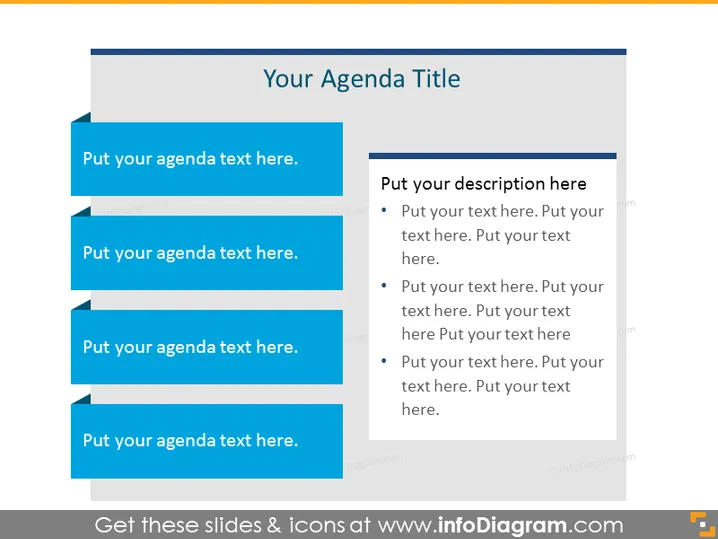
The PowerPoint slide is designed to outline an agenda for a meeting or presentation. There are four blue banner shapes, each containing placeholder text that reads 'Put your agenda text here.' Adjacent to these banners is a rectangular box with the heading 'Put your description here', followed by four bullet points. Each bullet point prompts users to 'Put your text here,' suggesting that each line corresponds to the details associated with the adjacent agenda item.
Graphical Look
- A large, bold title at the top of the slide with a dark grey background behind the text, creating contrast and making it stand out.
- Four horizontal blue banner shapes to the left of the slide, with a drop shadow effect that gives a layering 3D appearance. Each banner contains white placeholder text.
- To the right, a light grey rectangular shape with a darker grey header and white text for additional descriptions corresponding to the agenda items.
- Four bullet points within the grey rectangle, each starting with a small dark grey circle, followed by light grey placeholder text.
- A visual alignment is present, with the banners and the description box arranged in parallel and the banners leading the eye towards the descriptive content.
The slide has a clean and professional look with a color scheme of blue, grey, and white, providing a visually appealing and effective method to present agenda items and their corresponding details clearly.
Use Cases
- Kicking off corporate meetings by presenting the agenda to the participants.
- Structuring workshops or training sessions with a clear outline of topics to be discussed.
- Outlining various phases or steps in a project presentation to keep the audience informed of the flow.
- Introducing a conference schedule or a series of presentations, linking each talk to its summary or speaker.
How to Edit
How to edit text & colors

How to expand / shorten diagram

How to Replace Icons in infoDiagram PPT


