
Reviews
Your slides are my 'secret sauce' when it comes to visualising my ideas to clients. I'm saving so much time.
InfoDiagram has been a wonderful resource since I found the product site a few years ago.
Your slides often generate good comments and ideas from my team that improve the final slides.
Description
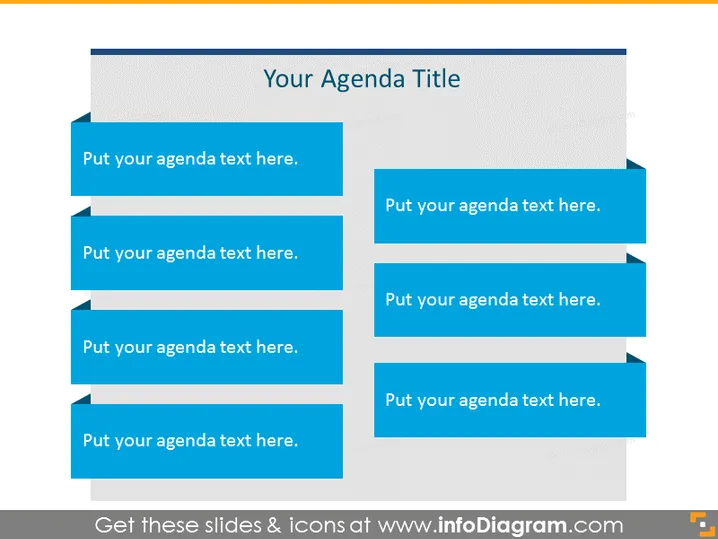
Your Agenda Title
Slide Content
The PowerPoint slide is designed to outline the agenda for a presentation, meeting, or event. The slide is divided into two columns, each featuring a list of items that are placeholders for the agenda topics. Each item is represented by a blue rectangular shape, and has a small dark blue arrow pointing to the right, signifying progression or sequence.
Graphical Look
- Two-column layout with a light gray background.
- The slide's title is in a large, dark gray rectangle at the top.
- Each column contains four blue rectangular shapes representing agenda items.
- The blue rectangles have a darker blue, right-pointing arrow on the right side.
- Shadows beneath the blue rectangles add a 3D effect.
- The left column rectangles have a lighter shade of blue compared to the right column.
- Slide has a clean and modern aesthetic with a simple color scheme.
The overall look of the slide is professional and straightforward, using a contrasting color scheme to clearly distinguish between agenda items. The usage of arrows suggests a flow or sequence to the content.
Use Cases
- Opening a corporate meeting or workshop to summarize the topics to be covered.
- Presenting the schedule for a conference or seminar to attendees.
- Structuring a sales pitch or product demonstration to guide the audience through the presentation.
- Outlining the main points in an educational or training session to help learners follow the progression.
How to Edit
How to edit text & colors

How to expand / shorten diagram

How to Replace Icons in infoDiagram PPT


