
Reviews
Your graphics add a nice touch to my presentations and I recently used them for one of my all-hands meetings. Your toolbox adds professionalism to my slides. Instead of using standard clipart.
I needed a fresh look at some of my slides. I've tried to find a way to create a paintbrush effect, to underline, accentuate, add some color and the handwritten markers were just the things. Very easy to use, easy to size, change the color. It was an affordable, perfect solution and I'm happy to recommend it.
The crisp, clean look of the graphics, and the fact that it allowed me to easily edit and change the colors to match the template was my main reason for purchasing them.
Description
5 Steps Process Sequence Outline Template
Slide Content
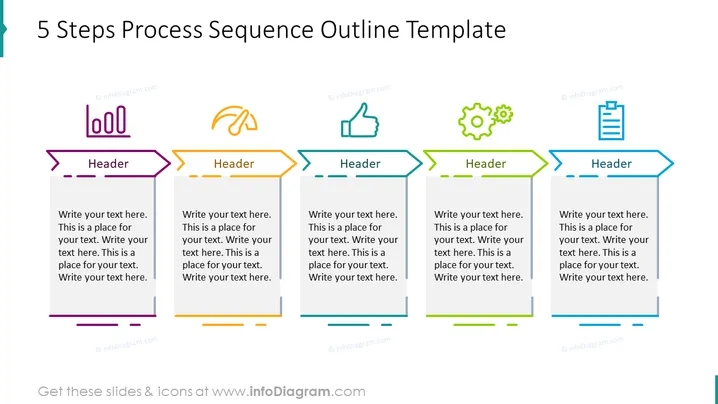
The slide displays a "5 Steps Process Sequence Outline Template" designed to visually illustrate a sequence of five steps in a process. Each step is represented by a colorful arrow pointing right with a designated space for a title ("Header") and a detailed text box below for additional information. This approach helps to break down complex processes into manageable parts, making it easier to understand and follow.
Graphical Look
- A clean white background providing contrast to the colorful elements.
- Five horizontally-aligned arrow shapes, each with a unique color.
- Each arrow has a space for a "Header" followed by two placeholder lines for text.
- Small, decorative icons above each arrow, corresponding to each step's theme.
- The arrow colors are purple, orange, blue, green, and teal, in that order.
- Each arrow is connected by a dashed line, signifying progression from one step to the next.
- The text within the arrows and below them is black, contrasting with the colorful arrows and white background.
The slide is designed in a clear and modern style, with a focus on legibility and a progressive flow from left to right. The use of varied colors and simple icons helps to distinguish between different steps or stages in the process.
Use Cases
- Illustrating the phases of a project or campaign in a business meeting.
- Outlining the steps of a new company procedure during a training session.
- Presenting a product development timeline in a marketing presentation.
- Explaining the workflow of a service or process to stakeholders during a strategy review.
How to Edit
How to edit text & colors

How to expand / shorten diagram

How to Replace Icons in infoDiagram PPT


