
Reviews
Sus gráficos añaden un toque agradable a mis presentaciones y recientemente los usé para una de mis reuniones generales. Su conjunto de herramientas añade profesionalismo a mis diapositivas. En lugar de usar imágenes prediseñadas estándar.
Necesitaba un aspecto fresco para algunas de mis diapositivas. Había intentado encontrar una forma de crear un efecto de pincel, de subrayar, acentuar, añadir algo de color y los marcadores escritos a mano fueron justo lo que necesitaba. Muy fácil de usar, fácil de ajustar el tamaño, cambiar el color. Fue una solución asequible y perfecta, y estoy feliz de recomendarla.
El aspecto nítido y limpio de los gráficos, y el hecho de que me permitiera editar y cambiar fácilmente los colores para que coincidieran con la plantilla fue mi principal razón para comprarlos.
Description
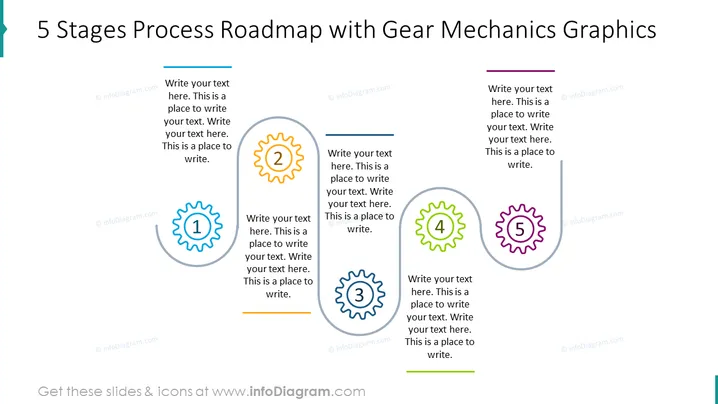
5 Stages Process Roadmap with Gear Mechanics Graphics
Slide Content
The slide depicts a five-stage process flow outlined with gear elements which are numbered 1 to 5. Each gear appears to represent a step in a sequence, with space for text to describe the details of each step. The gears are interconnected, signifying that the stages are part of a collaborative mechanism, likely emphasizing that each step is integral to the process and that they work together like gears in a machine.
Graphical Look
- Two main colors are used for the gears (blue and green), along with yellow and purple for numerical highlights.
- There are five large gear graphics, arranged horizontally across the slide; each gear graphic holds a number in its center and a text box adjacent to it.
- Number highlighting creates a visual contrast, with numbers 1-5 designed in a bold font within colored circles on the gears.
- Text boxes for each stage are aligned with their respective gears, providing a structured layout for content insertion.
- The gears are simplified illustrations, not detailed mechanical representations, without extraneous details, allowing the focus to remain on the stages and text.
- Uniformly colored lines above each text box echo the line used for the slide title; these serve as design elements and segment headers.
The slide features a clean design with vibrant colors that stand out against the white background, making the information easily digestible. The visual hierarchy is well-maintained, with the gears arranged to guide the viewer's eye across the process flow from left to right.
Use Cases
- To outline the steps of a project or initiative in a business presentation.
- For illustrating how different departments or teams contribute to a workflow.
- To visually break down the phases of product development or market entry strategy.
- As a training tool to explain complex processes in a simplified and engaging manner.
How to Edit
How to edit text & colors

How to expand / shorten diagram

How to Replace Icons in infoDiagram PPT


