
Reviews
Your graphics add a nice touch to my presentations and I recently used them for one of my all-hands meetings. Your toolbox adds professionalism to my slides. Instead of using standard clipart.
I needed a fresh look at some of my slides. I've tried to find a way to create a paintbrush effect, to underline, accentuate, add some color and the handwritten markers were just the things. Very easy to use, easy to size, change the color. It was an affordable, perfect solution and I'm happy to recommend it.
The crisp, clean look of the graphics, and the fact that it allowed me to easily edit and change the colors to match the template was my main reason for purchasing them.
Description
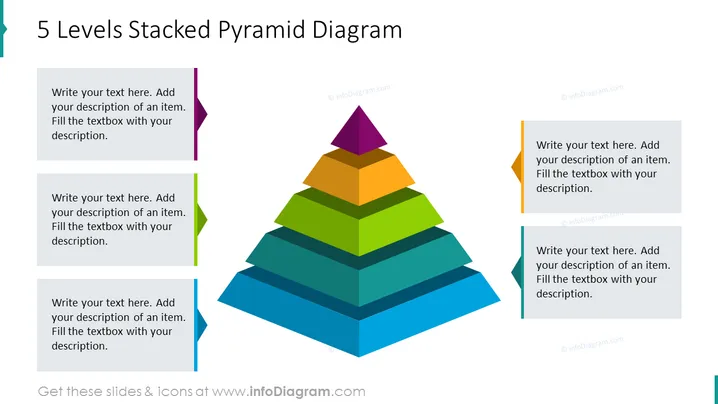
5 Levels Stacked Pyramid Diagram
Slide Content
The "5 Levels Stacked Pyramid Diagram" showcases a hierarchical structure with five colored layers, each representing a different level that can be customized with specific descriptions. These layers can symbolize progressive stages in a process, levels of priority, or stages of development. Starting from the base, the layers are colored in shades of blue, green, orange, and yellow, culminating in a purple apex, guiding the viewer to understand the tiered relationship where each segment builds upon the preceding one.
Graphical Look
- The slide features a central pyramid diagram composed of five distinct horizontal levels, each with a different color.
- The base of the pyramid is the largest layer, colored in dark blue, and each subsequent level gets progressively smaller and changes color up to the purple apex.
- Next to each level of the pyramid is a corresponding text box with directional markers pointing towards each layer of the pyramid.
- These text boxes have a light grey background and are placed on both the left and right sides of the pyramid, with colors matching the pyramid levels (purple, orange, green, light blue, and dark blue).
- At the top of the slide, against a white background, is the title of the slide in a large, bold font.
The slide presents a clean and modern design with a clear focus on the multicolored pyramid diagram. The use of various colors not only adds visual interest but also allows for easy differentiation between the hierarchical levels.
Use Cases
- Illustrating organizational structures or ranks within a company, where each level corresponds to a different tier of authority or responsibility.
- Describing steps in a business process or a project's phases, with each level representing a stage that builds upon the previous one.
- Detailing a product's feature set, with the most important or premium features at the top and the base features at the bottom.
- Explaining a marketing or sales funnel, where each level reflects different stages of the customer journey from awareness to purchase.
How to Edit
How to edit text & colors

How to expand / shorten diagram

How to Replace Icons in infoDiagram PPT


