
Reviews
Your graphics add a nice touch to my presentations and I recently used them for one of my all-hands meetings. Your toolbox adds professionalism to my slides. Instead of using standard clipart.
I needed a fresh look at some of my slides. I've tried to find a way to create a paintbrush effect, to underline, accentuate, add some color and the handwritten markers were just the things. Very easy to use, easy to size, change the color. It was an affordable, perfect solution and I'm happy to recommend it.
The crisp, clean look of the graphics, and the fact that it allowed me to easily edit and change the colors to match the template was my main reason for purchasing them.
Description
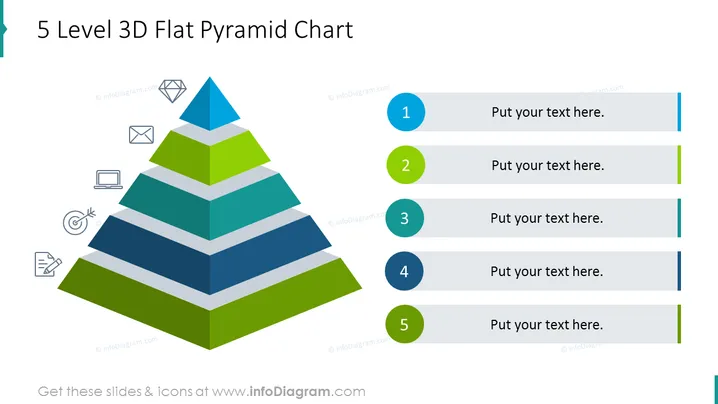
5 Level 3D Flat Pyramid Chart
Slide Content
The slide displays a 5-level pyramid chart for categorizing and visualizing hierarchical structures. Each level of the pyramid is associated with a number and has space for text, representing a step or rank in a progressive sequence. This type of chart is often used to represent organizational structures, stages of growth, or prioritization of concepts with the most important level at the top, becoming less critical as the pyramid widens.
Graphical Look
- A 3D pyramid chart divided into 5 distinct levels where each level is a different color.
- To the right of the pyramid are five horizontal lines, each corresponding to a level of the pyramid.
- Each horizontal line has a circular number label, ranging from 1 at the top to 5 at the bottom.
- Next to each number label is a placeholder text box where the presenter can add their own content.
- The pyramid chart is accompanied by four icons on the left, aligned vertically, representing different themes (diamond, envelope, laptop, target, and document).
The slide has a vibrant and clear design, with a colorful pyramid chart making it visually engaging. Each element is cleanly presented with distinct borders and colors, facilitating easy readability and interpretation.
Use Cases
- To present the hierarchy of a company's organizational structure during a business meeting.
- For illustrating levels of product feature prioritization in a product development presentation.
- When explaining stages of a marketing strategy or customer journey in a sales strategy meeting.
- To showcase the progression of learning stages or skill levels in an educational or training setting.
How to Edit
How to edit text & colors

How to expand / shorten diagram

How to Replace Icons in infoDiagram PPT


