
Reviews
Your graphics add a nice touch to my presentations and I recently used them for one of my all-hands meetings. Your toolbox adds professionalism to my slides. Instead of using standard clipart.
I needed a fresh look at some of my slides. I've tried to find a way to create a paintbrush effect, to underline, accentuate, add some color and the handwritten markers were just the things. Very easy to use, easy to size, change the color. It was an affordable, perfect solution and I'm happy to recommend it.
The crisp, clean look of the graphics, and the fact that it allowed me to easily edit and change the colors to match the template was my main reason for purchasing them.
Description
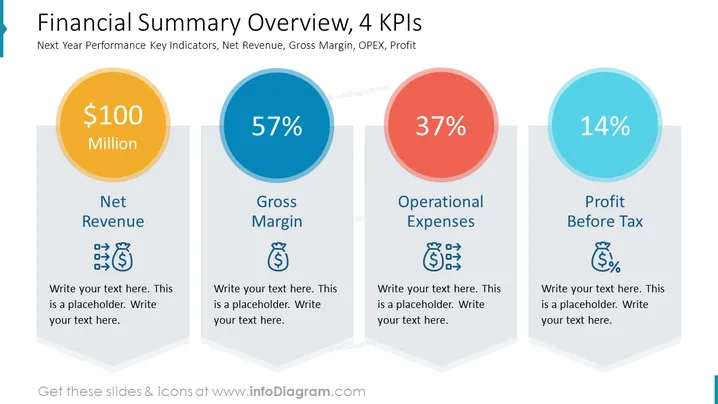
Financial Summary Overview, 4 KPIs Slide
With this slide, you can highlight four crucial key performance indicators in your financial summary overview. We made the numbers impactful by placing them in big colorful circles and adding icons to titles. You can use them to illustrate net revenue, gross margin, operational expenses, and profit before tax.
What Does This Financial Summary Overview, 4 KPIs Slide Include?
- Four light grey arrow-shaped text containers with navy titles
- Four colorful circles with numbers describing KPIs values
- Icons: Income Money, Outcon=me Money, Money, Money Percentage
This Financial Summary Overview, 4 KPIs Slide is a part of our Actions Template Against Climate Change PPT Presentation.
How to Edit
How to edit text & colors

How to expand / shorten diagram

How to Replace Icons in infoDiagram PPT


