
Reviews
Sus gráficos añaden un toque agradable a mis presentaciones y recientemente los usé para una de mis reuniones generales. Su conjunto de herramientas añade profesionalismo a mis diapositivas. En lugar de usar imágenes prediseñadas estándar.
Necesitaba un aspecto fresco para algunas de mis diapositivas. Había intentado encontrar una forma de crear un efecto de pincel, de subrayar, acentuar, añadir algo de color y los marcadores escritos a mano fueron justo lo que necesitaba. Muy fácil de usar, fácil de ajustar el tamaño, cambiar el color. Fue una solución asequible y perfecta, y estoy feliz de recomendarla.
El aspecto nítido y limpio de los gráficos, y el hecho de que me permitiera editar y cambiar fácilmente los colores para que coincidieran con la plantilla fue mi principal razón para comprarlos.
Description
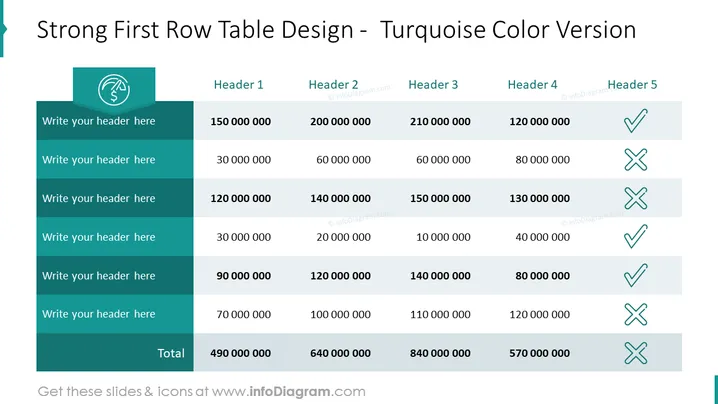
Strong First Row Table Design - Turquoise Color Version
Slide Content
The slide presents a table with a prominent first row labeled 'Strong First Row Table Design - Turquoise Color Version.' The table includes five headers, placeholders for subheaders beneath them, and numerical data indicating financial figures in the rows below. Each column ends with a checkmark or cross symbol, representing a binary outcome like success (checkmark) or failure (cross) for the figures in that column.
Graphical Look
- The slide features a table with a turquoise color scheme.
- The first row of the table is highlighted in a darker shade of turquoise, making it stand out.
- Beneath the first row, there are placeholders for additional headers, set against a slightly lighter turquoise backdrop.
- Each row contains numeric data, formatted to represent currency (as indicated by the currency icon in the first cell).
- The rightmost column contains checkmarks and crosses in various cells, symbolizing positive or negative results.
- There is an icon in the upper left corner of the slide, within a circular, teal-colored background.
The slide has a clean, professional look with a unified color palette that emphasizes the data through contrast and symbols. The checkmarks and crosses provide a quick visual assessment of performance or status.
Use Cases
- Presenting financial summaries and results in corporate meetings.
- Comparing performance metrics across different departments or products.
- Visualizing project milestones, highlighting completions and pending tasks.
- Creating reports for stakeholders to review business or project status with clear success/failure indicators.
How to Edit
How to edit text & colors

How to expand / shorten diagram

How to Replace Icons in infoDiagram PPT


