
Reviews
The icons are fantastic, easy to use, and will add value to any project or presentation. Keep up the great work.
I love how simple infoDiagram's solutions are and the personal interest they took in my work. Recommended 1000%!
The crisp, clean look of the graphics, and the fact that it allowed me to easily edit and change the colors to match the template was my main reason for purchasing them.
Description
Flat Icons Set — Products, Performance
Slide Content
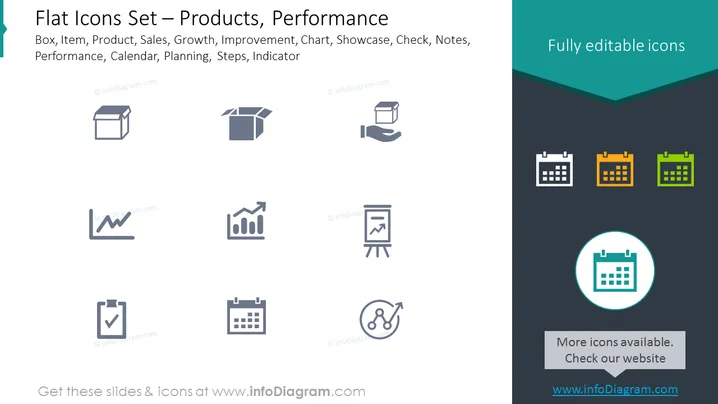
The PowerPoint slide presents a set of flat icons related to business performance and products, including a box, item, product, sales graph, improvement chart, showcase, checkmark, sticky notes, performance metrics, calendar, planning, steps, and an indicator. Each icon encapsulates a concept vital to business operations, such as the sales graph representing revenue trends and the calendar for scheduling.
Graphical Look
- The slide background is split diagonally from the top right to the bottom left, with the larger, top section in white and the smaller, bottom section in a dark gray.
- There are ten icons evenly spaced in two rows of five.
- Each icon is simplistic in design, utilizing minimalistic lines and shapes to convey different business concepts.
- The icons are presented in shades of gray, except for the calendar icons, which include three different colored versions in green, orange, and blue.
- Above the icons on the right side, there's a teal-colored banner with white text stating "Fully editable icons."
- On the bottom right, a rectangle contains the text "More icons available. Check our website," with a web address beneath it.
The slide uses a clean and modern design, with a clear distinction between the graphic icons and text elements. The overall look is professional and tailored for a corporate audience.
Use Cases
- To enhance visual communication in a business presentation by incorporating relevant icons.
- When illustrating different aspects of a project or multi-department processes in a business strategy meeting.
- As part of an educational material to help explain concepts in management or marketing classes.
- To visually summarize the contents of a report or document in an easier-to-digest format during a company review or workshop.
How to Edit
How to edit text & colors

How to expand / shorten diagram

How to Replace Icons in infoDiagram PPT


