
Reviews
Ihre Grafiken verleihen meinen Präsentationen eine nette Note, und ich habe sie kürzlich für eines meiner All-Hands-Meetings verwendet. Ihre Toolbox verleiht meinen Folien Professionalität, anstatt Standard-Clipart zu verwenden.
Ich brauchte einen neuen Blick auf einige meiner Folien. Ich habe versucht, einen Weg zu finden, einen Pinselschlag-Effekt zu erzielen, um zu unterstreichen, hervorzuheben, Farbe hinzuzufügen, und die handgeschriebenen Markierungen waren genau das Richtige. Sehr einfach zu bedienen, leicht in der Größe zu ändern, die Farbe zu ändern. Es war eine erschwingliche, perfekte Lösung und ich empfehle sie gerne weiter.
Die klare, saubere Optik der Grafiken und die Tatsache, dass ich die Farben leicht bearbeiten und an die Vorlage anpassen konnte, war mein Hauptgrund für den Kauf.
Description
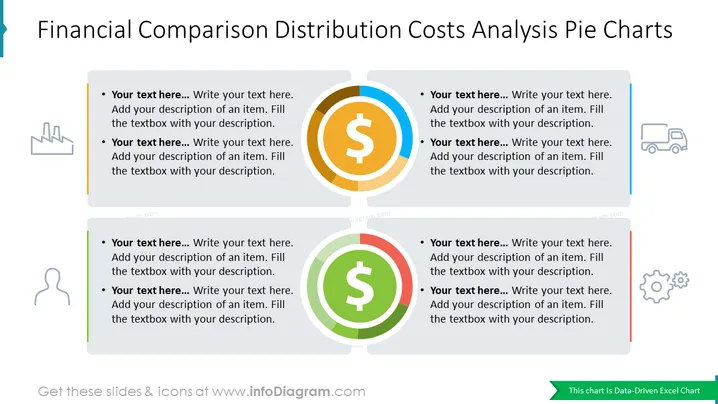
Financial Comparison Distribution Costs Analysis Pie Charts
This PowerPoint slide provides a visual representation of financial data related to distribution costs. It effectively utilizes pie charts to compare and analyze various cost components, making it a valuable tool for presentations focused on financial analysis, budgeting, or cost optimization. The clear and concise presentation of data allows for easy comprehension and facilitates informed decision-making.
What Does This Financial Comparison Distribution Costs Analysis Pie Charts Slide Include?
- A collection of 2 Excel-driven pie charts, each representing a different aspect of distribution costs
- A consistent color scheme across the pie charts, employing shades of blue and orange to differentiate between cost components
- gray text containers
- Flat icon of dollar symbol
- Outline icons of factory, production, truck, transportation, logistics, person, man, human, profile, gears, process
- A simple yet visually appealing layout that effectively conveys the key message without distractions.
This Financial Comparison Distribution Costs Analysis Pie Charts Slide is a part of our Creative Percentage Shares Data-driven Pie Charts PPT Template.
How to Edit
How to edit text & colors

How to expand / shorten diagram

How to Replace Icons in infoDiagram PPT


