
Reviews
Vos graphiques ajoutent une belle touche à mes présentations et je les ai récemment utilisés pour l'une de mes réunions générales. Votre boîte à outils ajoute du professionnalisme à mes diapositives. Au lieu d'utiliser des cliparts standards.
J'avais besoin d'un nouveau regard sur certaines de mes diapositives. J'ai essayé de trouver un moyen de créer un effet de pinceau, de souligner, d'accentuer, d'ajouter de la couleur et les marqueurs manuscrits étaient exactement ce qu'il fallait. Très facile à utiliser, facile à ajuster la taille, à changer la couleur. C'était une solution abordable et parfaite et je suis heureux de la recommander.
L'aspect net et épuré des graphiques, et le fait qu'il m'ait permis d'éditer et de changer facilement les couleurs pour les adapter au modèle, ont été les principales raisons de mon achat.
Description
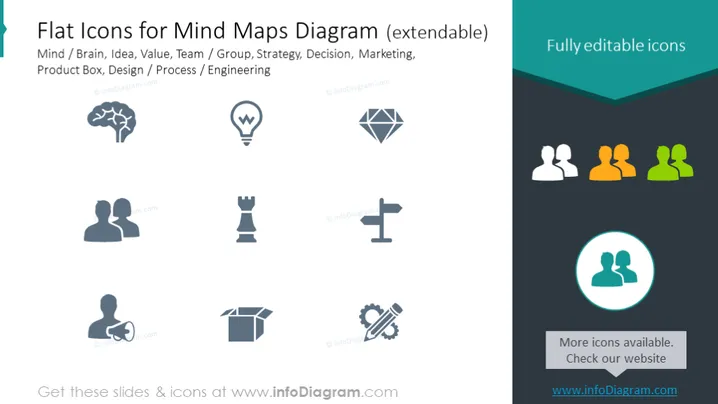
Flat Icons for Mind Maps Diagram (extendable)
Slide Content
The PowerPoint slide titled "Flat Icons for Mind Maps Diagram (extendable)" showcases a set of vector icons meant to visually represent various concepts for mind mapping. The icons relate to topics such as Mind/Brain, Idea, Value, Team/Group, Strategy, Decision, Marketing, Product Box, and Design/Process/Engineering. Each icon symbolizes a complex idea simplifying communication in graphical form, for instance, a brain icon represents Mind, a lightbulb for Ideas, two connected profiles for Team/Group, and gears for Design/Process/Engineering.
Graphical Look
- The slide background is a clean white, providing a neutral canvas for the icons.
- At the top right corner is a dark teal ribbon banner stating "Fully editable icons".
- Nine flat design icons are evenly distributed across the slide, desaturated except for one highlighted in teal with a circular outline.
- Each icon represents a different concept, designed with a minimalist and modern aesthetic.
- The icons are grayscale, which contrasts with the vibrant teal used to highlight and demonstrate editability.
- Common PowerPoint icons such as the human head shape, lightbulb, and chess piece provide an immediate understanding of their related concepts.
The overall look of the slide is sleek and professional, with a modern graphic design emphasizing clarity and ease of understanding the represented concepts. The color choice is limited, focusing viewers' attention on the sample editable icon.
Use Cases
- Utilized in business meetings to create mind maps visually representing different areas of discussion or planning.
- Employed in marketing presentations to brainstorm and map out campaign strategies using visual icons.
- Included in educational or training materials for illustrating complex concepts in a simplified, visual form.
- Incorporated into product development meetings to discuss different aspects such as design, engineering, and value propositions.
How to Edit
How to edit text & colors

How to expand / shorten diagram

How to Replace Icons in infoDiagram PPT


