
Reviews
Deine Folien sind meine 'geheime Zutat', wenn es darum geht, meine Ideen Kunden zu visualisieren. Ich spare so viel Zeit.
Ihre Folien führen oft zu guten Kommentaren und Ideen meines Teams, die die endgültigen Folien verbessern.
Description
February – with place for notes
Slide Content
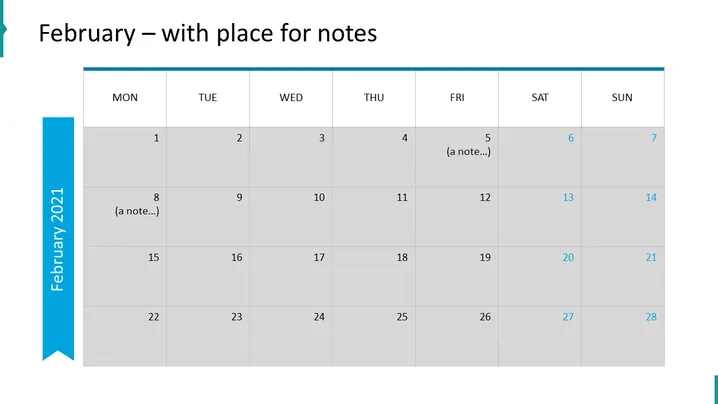
The slide presents a monthly calendar for February with space allocated for notes on specific days. Each week is displayed in a row, and the days are organized from Monday to Sunday, with weekends distinguished by a different background color. Numbers indicating dates are shown in each day's cell, with some cells containing placeholder text "(a note...)" to exemplify where personalized content can be added.
Graphical Look
- The title of the slide, "February – with place for notes," is prominently displayed at the top.
- A large table constitutes the main component of the slide, representing a calendar month.
- Days of the week are labeled at the top of each column: "MON," "TUE," "WED," "THU," "FRI," "SAT," and "SUN."
- Each cell of the table corresponds to a day, with light gray background for weekdays and a darker gray for weekend days.
- Placeholder text "(a note...)" appears in some of the cells, suggesting locations for custom annotations.
- A vertical, ribbon-like shape on the left side of the slide features the text "February 2021."
The overall look of the slide is clean, professional, and well-organized, presenting data in a clear and logical manner. The color differentiation for weekends aids visual distinction, and the slide's design effectively communicates the availability of space for notes.
Use Cases
- To outline key dates and milestones for a project's timeline in a business meeting.
- As part of a monthly staff roster or scheduling presentation, indicating shifts or duty assignments.
- To annotate promotional or marketing campaign dates during a strategy session.
- To display upcoming events or deadlines in a company-wide meeting for better staff coordination.
How to Edit
How to edit text & colors

How to expand / shorten diagram

How to Replace Icons in infoDiagram PPT


