
Reviews
Ihre Grafiken verleihen meinen Präsentationen eine nette Note, und ich habe sie kürzlich für eines meiner All-Hands-Meetings verwendet. Ihre Toolbox verleiht meinen Folien Professionalität, anstatt Standard-Clipart zu verwenden.
Ich brauchte einen neuen Blick auf einige meiner Folien. Ich habe versucht, einen Weg zu finden, einen Pinselschlag-Effekt zu erzielen, um zu unterstreichen, hervorzuheben, Farbe hinzuzufügen, und die handgeschriebenen Markierungen waren genau das Richtige. Sehr einfach zu bedienen, leicht in der Größe zu ändern, die Farbe zu ändern. Es war eine erschwingliche, perfekte Lösung und ich empfehle sie gerne weiter.
Die klare, saubere Optik der Grafiken und die Tatsache, dass ich die Farben leicht bearbeiten und an die Vorlage anpassen konnte, war mein Hauptgrund für den Kauf.
Description
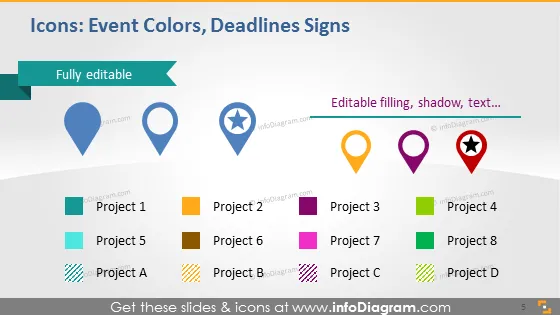
Icons: Event Colors, Deadlines Signs
Slide Content
The slide titled "Icons: Event Colors, Deadlines Signs" is a template that allows customization of icons and text to represent different projects or events. The slide includes a series of eight icons, each associated with a project label from 'Project 1' to 'Project 8' and four icons associated with 'Project A' to 'Project D'. These icons seem to serve as visual indicators for project status or deadlines, with different shapes such as pins and stars denoting different categorizations or rankings and a variety of colors highlighting distinctions or priorities.
Graphical Look
- The slide background is a white and light gray gradient.
- At the top, there's a teal banner with the text "Fully editable" and an arrow symbol pointing to the main content.
- There are two sets of icons and labels: the first set features pin icons in different colors (blue, dark blue, yellow, orange, red); the second set has rectangles in pastel shades (green, yellow, purple) with stripes or checker patterns.
- Each icon is accompanied by white rectangular labels with gray outline and drop shadow, indicating distinct projects.
- The colored icons have an additional banner indicating they are editable.
- The visual composition is clean and balanced with a mix of colorful icons and simple text labels organized in a grid layout.
The slide presents a colorful, yet professional design that communicates information through a combination of simple graphics and text labels. It is visually appealing, owing to the colorful icons which are staged against a muted gradient background for contrast.
Use Cases
- To visually represent different projects or tasks and their respective statuses during project management meetings.
- As a tracking tool for deadlines or milestones in team progress reports.
- To categorize and prioritize tasks during planning sessions.
- For assigning colors or symbols to various events or activities in corporate training or workshops.
How to Edit
How to edit text & colors

How to expand / shorten diagram

How to Replace Icons in infoDiagram PPT


