
Reviews
Vos graphiques ajoutent une belle touche à mes présentations et je les ai récemment utilisés pour l'une de mes réunions générales. Votre boîte à outils ajoute du professionnalisme à mes diapositives. Au lieu d'utiliser des cliparts standards.
J'avais besoin d'un nouveau regard sur certaines de mes diapositives. J'ai essayé de trouver un moyen de créer un effet de pinceau, de souligner, d'accentuer, d'ajouter de la couleur et les marqueurs manuscrits étaient exactement ce qu'il fallait. Très facile à utiliser, facile à ajuster la taille, à changer la couleur. C'était une solution abordable et parfaite et je suis heureux de la recommander.
L'aspect net et épuré des graphiques, et le fait qu'il m'ait permis d'éditer et de changer facilement les couleurs pour les adapter au modèle, ont été les principales raisons de mon achat.
Description
Icons: Location Pins and Flags
Slide Content
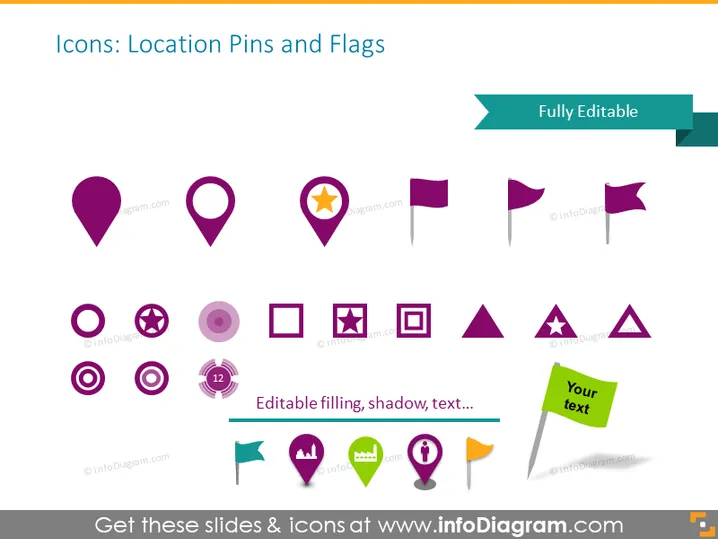
The slide displays a collection of icons themed around location pins and flags, suggesting they are customizable with editable features such as filling, shadow, and text. These icons vary in design, from simple map pins to pins with stars or numbers and several types of flags. They could represent different points of interest, locations on a map, or navigation elements in a user interface, emphasizing their versatility in representing geographic concepts digitally.
Graphical Look
- A variety of stylized location pin icons with different shapes and symbols in the top two rows.
- A range of flag icons in the third row, varying from standard flags to those with stars and circles.
- Icons are colored in shades of purple, violet, and green with a flat design aesthetic.
- A note in the center at the bottom indicating "Editable filling, shadow, text…" which implies customization options for the icons.
- Two text placeholders, one with "Fully Editable" in the top right corner, and another with "Your text" on a flag icon towards the bottom right.
The slide is clean, with a modern and flat design, focusing on the icons against a white background. Color-coordinated elements provide a cohesive visual experience.
Use Cases
- To illustrate various locations in a business presentation, such as branch offices or retail outlets on a map.
- As visual aids in user interface design presentations, indicating different functionality or sections of a digital application.
- In marketing materials to highlight areas of service coverage or target markets.
- During strategic planning sessions to visually mark key areas of interest or targets on digital maps.
How to Edit
How to edit text & colors

How to expand / shorten diagram

How to Replace Icons in infoDiagram PPT


