
Reviews
The icons are fantastic, easy to use, and will add value to any project or presentation. Keep up the great work.
I love how simple infoDiagram's solutions are and the personal interest they took in my work. Recommended 1000%!
The crisp, clean look of the graphics, and the fact that it allowed me to easily edit and change the colors to match the template was my main reason for purchasing them.
Description
IT & electronics
Slide Content
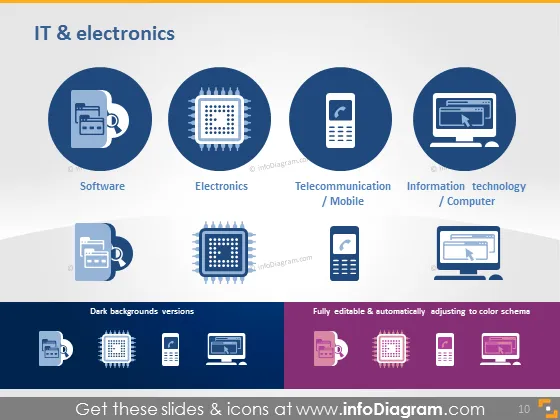
The PowerPoint slide is titled "IT & electronics" and showcases four main categories within this field: Software, Electronics, Telecommunication / Mobile, and Information Technology / Computer. "Software" represents programs and operating system services users interact with. "Electronics" pertains to devices or circuits. "Telecommunication / Mobile" signifies communication technologies, particularly mobile networks, while "Information Technology / Computer" encompasses hardware and systems foundational to computing.
Graphical Look
- A navy blue title sits at the top, in all caps and white font.
- Four circular icons each represent a different IT category, arranged horizontally:
- Software icon shows a coffee cup with lines indicating code on a screen.
- Electronics icon displays a microchip.
- Telecommunication / Mobile Icon depicts a mobile phone.
- Information Technology / Computer icon portrays a desktop computer.
- Below the icons, each category is named in white font with a light blue background.
- A shadow effect is evident beneath the main icon section, giving the slide depth.
- At the bottom, there is a comparison between light and dark background variations of the same icons.
- The dark background versions of the icons are in white silhouette against a darker backdrop.
- The contrasting section to the right demonstrates the icons in white, set against vibrant purple squares, illustrating the adaptability of the icons to different color schemes.
The slide has a very modern and clean design with a strong blue and purple color scheme. The icons are simplistic yet effectively convey the essence of each IT category they represent.
Use Cases
- Introducing the different sectors within an IT company during an internal meeting.
- Presenting a company's product or service portfolio in the field of IT & electronics to potential clients or investors.
- Explaining the scope of an educational course or training program related to IT and electronics.
- Using the slide as a visual aid in a tech conference presentation to quickly encapsulate various facets of the technology industry.
How to Edit
How to edit text & colors

How to expand / shorten diagram

How to Replace Icons in infoDiagram PPT


