

Your graphics add a nice touch to my presentations and I recently used them for one of my all-hands meetings. Your toolbox adds professionalism to my slides. Instead of using standard clipart.
Claude Jones, Director of Engineer, @Walmartlabs, USA

Your graphics add a nice touch to my presentations and I recently used them for one of my all-hands meetings. Your toolbox adds professionalism to my slides. Instead of using standard clipart.
Claude Jones, Director of Engineer, @Walmartlabs, USA
I needed a fresh look at some of my slides. I've tried to find a way to create a paintbrush effect, to underline, accentuate, add some color and the handwritten markers were just the things. Very easy to use, easy to size, change the color. It was an affordable, perfect solution and I'm happy to recommend it.
Anonymous, US
The crisp, clean look of the graphics, and the fact that it allowed me to easily edit and change the colors to match the template was my main reason for purchasing them.
Brandie Jenkins, E-learning Developer, USA
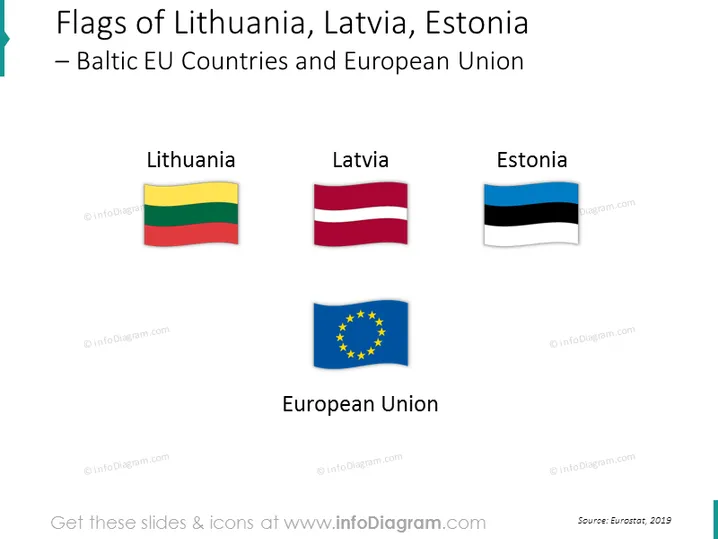
The slide presents the flags of three Baltic countries: Lithuania, Latvia, and Estonia, which are members of the European Union. Each country's flag is labeled with the country's name, and the flag of the European Union is included at the bottom, labeled 'European Union'. Lithuania's flag has horizontal yellow, green, and red stripes representing the sun, forests, and the blood of those who fought for the country. Latvia's flag is a deep crimson with a narrow stripe of white, symbolizing the freedom to decide one's own fate. Estonia's flag consists of a horizontal tricolor of blue, black, and white representing the sky, soil, and hope respectively. The European Union flag displays a circle of twelve golden stars on a blue background, signifying unity, solidarity, and harmony amongst the peoples of Europe.
The overall look of the slide is professional and straightforward, with a primary focus on the flags' graphics. The three-dimensional effect of the flags provides a dynamic visual aspect to the otherwise static presentation.



