
Reviews
Your graphics add a nice touch to my presentations and I recently used them for one of my all-hands meetings. Your toolbox adds professionalism to my slides. Instead of using standard clipart.
I needed a fresh look at some of my slides. I've tried to find a way to create a paintbrush effect, to underline, accentuate, add some color and the handwritten markers were just the things. Very easy to use, easy to size, change the color. It was an affordable, perfect solution and I'm happy to recommend it.
The crisp, clean look of the graphics, and the fact that it allowed me to easily edit and change the colors to match the template was my main reason for purchasing them.
Description
Illustrating Influence Regions with Data Values
Slide Content
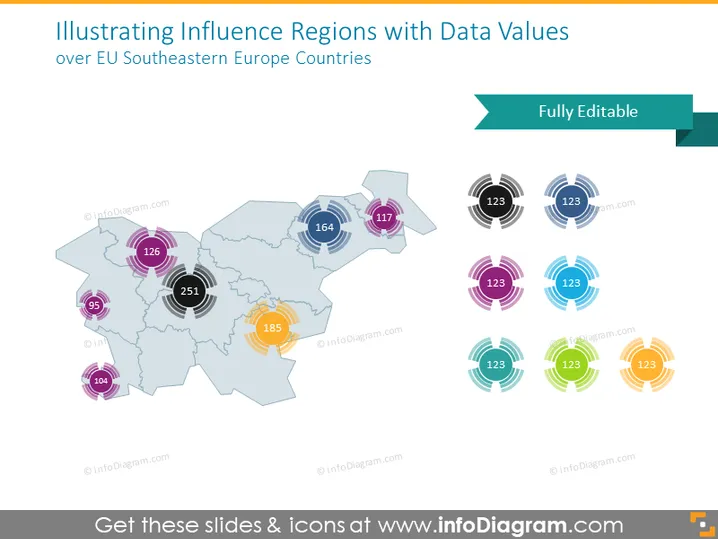
The PowerPoint slide titled "Illustrating Influence Regions with Data Values" depicts data points superimposed on a map of the southeastern countries of the European Union (EU). Each data point consists of a circular graphic with a number inside, suggesting a quantification of influence or other measurable attributes for specific regions. This visual representation implies a comparison of data values across the regions, which can be interpreted as varying degrees of an influence or significant metric.
Graphical Look
- A map of EU Southeastern Europe serves as the main backdrop, shaded in light blue with country borders delineated.
- Overlaid on the map are circular data point graphics, each with a layered ring appearance and unique colors, representing different regions.
- Numbers within these circular graphics indicate specific data values, with font size corresponding to the relative size of the data point graphic.
- A rectangular shape with rounded corners labeled "Fully Editable" extends from the map's top right corner.
- The slide's color palette includes shades of blue, purple, pink, grey, and yellow, adding visual distinction between the data points.
The slide incorporates clean and modern design elements with a professional look. The use of different colors for the data point graphics aids in distinguishing the values at a glance.
Use Cases
- Comparing regional sales data across different areas within the EU Southeastern Europe for a business performance presentation.
- Illustrating election results in an analysis by political analysts or news outlets.
- Presenting market research statistics, like consumer preferences or penetration rates, in various countries.
- Demonstrating regional resource allocation for logistics or distribution strategies in a corporate strategy meeting.
How to Edit
How to edit text & colors

How to expand / shorten diagram

How to Replace Icons in infoDiagram PPT


