
Reviews
Your graphics add a nice touch to my presentations and I recently used them for one of my all-hands meetings. Your toolbox adds professionalism to my slides. Instead of using standard clipart.
I needed a fresh look at some of my slides. I've tried to find a way to create a paintbrush effect, to underline, accentuate, add some color and the handwritten markers were just the things. Very easy to use, easy to size, change the color. It was an affordable, perfect solution and I'm happy to recommend it.
The crisp, clean look of the graphics, and the fact that it allowed me to easily edit and change the colors to match the template was my main reason for purchasing them.
Description
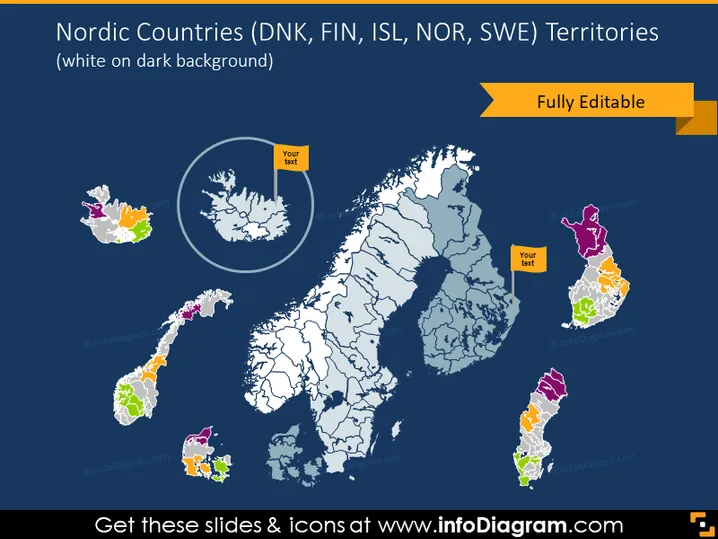
Nordic Countries (DNK, FIN, ISL, NOR, SWE) Territories
Slide Content
The slide presents a map highlighting the Nordic countries' territories with Denmark (DNK), Finland (FIN), Iceland (ISL), Norway (NOR), and Sweden (SWE). Each country is color-coded and marked with an editable label space for custom text. The map is detailed, showing regional divisions within the countries, and is stated to be fully editable, indicating that elements in the slide can be customized to fit different presentation needs.
Graphical Look
- A dark blue background provides high contrast for the map elements.
- The map of Nordic countries is centrally placed, showing territorial outlines of Denmark, Finland, Iceland, Norway, and Sweden.
- Each country is filled with a distinct pastel color (orange, purple, green, and two shades of gray), making it easy to differentiate them.
- Editable text boxes with a yellow background are placed over Iceland and Sweden, implying placeholder text that can be personalized.
- A yellow ribbon-shaped banner with the text "Fully Editable" is layered on the top right corner of the slide.
- The countries are presented on a flat map projection without topographical details, focusing on administrative or territorial divisions.
- A magnified circular inset on the left side of the slide shows a closer view of Denmark and its territories.
The slide has a clean and professional appearance, with bold colors used for text and icons to ensure readability and visual impact. The combined use of color-coding and placeholders makes it an effective and intuitive visual tool.
Use Cases
- Presenting geographic business expansions or market presence in the Nordic region.
- Educational settings to teach about the geography or political boundaries of the Nordic countries.
- Organizational presentations to indicate service areas or distribution regions within Northern Europe.
- Data visualization for demographics, economics, or other statistical information relating to the Nordic countries.
How to Edit
How to edit text & colors

How to expand / shorten diagram

How to Replace Icons in infoDiagram PPT


