
Reviews
Your graphics add a nice touch to my presentations and I recently used them for one of my all-hands meetings. Your toolbox adds professionalism to my slides. Instead of using standard clipart.
I needed a fresh look at some of my slides. I've tried to find a way to create a paintbrush effect, to underline, accentuate, add some color and the handwritten markers were just the things. Very easy to use, easy to size, change the color. It was an affordable, perfect solution and I'm happy to recommend it.
The crisp, clean look of the graphics, and the fact that it allowed me to easily edit and change the colors to match the template was my main reason for purchasing them.
Description
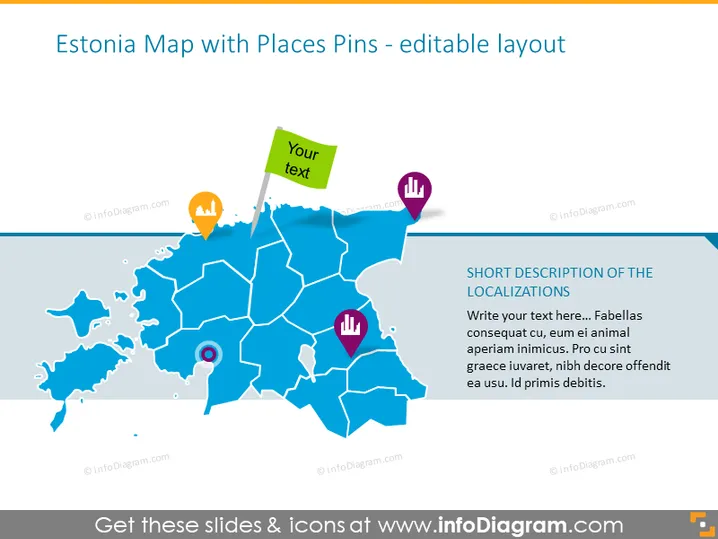
Estonia Map with Places Pins - editable layout
Slide Content
The slide appears to be a visualization tool for pinpointing specific locations in Estonia. It includes a color-coded map with various place pins, each with different icons, suggesting a mechanism to categorize different types of points of interest or data points. Each pin is designed to accompany a text description, providing information about the individual locations. The slide has placeholder text for a short description, indicating that it's a template ready to be customized with actual data.
Graphical Look
- The slide has a large, blue, stylized map of Estonia as the central focus, with a lighter shade of blue marking the borders between regions.
- There are five colorful pins on the map, each with a different icon—a light bulb, a bar chart, etc.—suggesting different categories or types of information.
- One of the pins includes a green text box with "Your text" written, indicating a place for customizable information.
- To the right, there is a rectangular box with space for a short description of the pinpoints.
- The font used in the text boxes appears to be a clean, sans-serif type, which matches the modern look of the slide.
The slide has a clean, professional design with a modern aesthetic. The choice of colors and icons creates an intuitive and visually appealing interface for the presentation of data.
Use Cases
- To provide a geographic visualization of business locations or branches across Estonia.
- For analyzing demographic trends or market reach within different regions of Estonia.
- In educational settings to teach about the geography of Estonia using interactive elements.
- During a strategic planning session to identify potential new locations for expansion or to illustrate logistical networks.
How to Edit
How to edit text & colors

How to expand / shorten diagram

How to Replace Icons in infoDiagram PPT


