
Reviews
Your graphics add a nice touch to my presentations and I recently used them for one of my all-hands meetings. Your toolbox adds professionalism to my slides. Instead of using standard clipart.
I needed a fresh look at some of my slides. I've tried to find a way to create a paintbrush effect, to underline, accentuate, add some color and the handwritten markers were just the things. Very easy to use, easy to size, change the color. It was an affordable, perfect solution and I'm happy to recommend it.
The crisp, clean look of the graphics, and the fact that it allowed me to easily edit and change the colors to match the template was my main reason for purchasing them.
Description
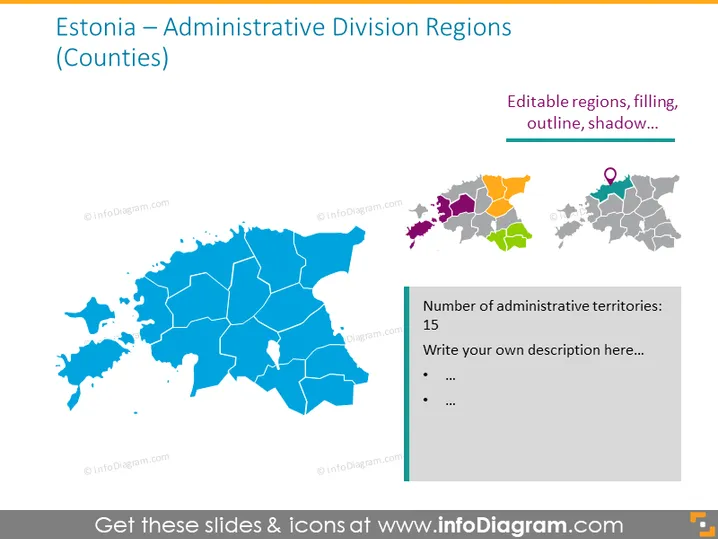
Estonia — Administrative Division Regions (Counties)
Slide Content
The slide presents information about Estonia's administrative division into counties. It shows a map with the geographical layout of the regions and highlights that there are editable regions, indicating the possibility to customize the map's appearance with different colors, outlines, or shadows. Though specific administrative details are not given, a side note mentions the number of administrative territories, which is 15, inviting the user to add a descriptive text. This setup is excellent for an audience seeking customization options for visual representations of Estonia's administrative regions.
Graphical Look
- A large blue-colored map of Estonia dominates the left side of the slide, showcasing the country's administrative divisions.
- Each region in the map is bounded by white borders, providing clear separation and emphasizing divisibility.
- On the top right corner, there's a mini-map with color-coded regions, adjacent to a text box mentioning editable features like region filling, outline, and shadow.
- Below the mini-map, another map highlights a specific area with a location pin icon, illustrating the functionality to pinpoint locations.
- There's a rectangular text box aligned to the right with a green header, containing the text "Number of administrative territories: 15" followed by bullet points for additional descriptions.
- The overall color scheme includes shades of blue, gray, and muted colors for the mini-maps, with green accents for text boxes.
The slide is visually balanced, with a clear focus on the Estonian map and an uncluttered layout. The right side of the slide provides information on editable features with an example and space for additional notes, making it informative and interactive.
Use Cases
- Introducing Estonia's regional administrative structure in geographical or political presentations.
- Customizing specific regions for demographic or statistical presentations to highlight various data points like population density, economic status, or electoral results.
- Planning or reviewing regional development projects where visual representation of location-specific data is necessary.
- Educational purposes, where such as teaching students about Estonia's geography and governmental organization.
How to Edit
How to edit text & colors

How to expand / shorten diagram

How to Replace Icons in infoDiagram PPT


