

Your graphics add a nice touch to my presentations and I recently used them for one of my all-hands meetings. Your toolbox adds professionalism to my slides. Instead of using standard clipart.
Claude Jones, Director of Engineer, @Walmartlabs, USA

Your graphics add a nice touch to my presentations and I recently used them for one of my all-hands meetings. Your toolbox adds professionalism to my slides. Instead of using standard clipart.
Claude Jones, Director of Engineer, @Walmartlabs, USA
I needed a fresh look at some of my slides. I've tried to find a way to create a paintbrush effect, to underline, accentuate, add some color and the handwritten markers were just the things. Very easy to use, easy to size, change the color. It was an affordable, perfect solution and I'm happy to recommend it.
Anonymous, US
The crisp, clean look of the graphics, and the fact that it allowed me to easily edit and change the colors to match the template was my main reason for purchasing them.
Brandie Jenkins, E-learning Developer, USA
##Slide content:
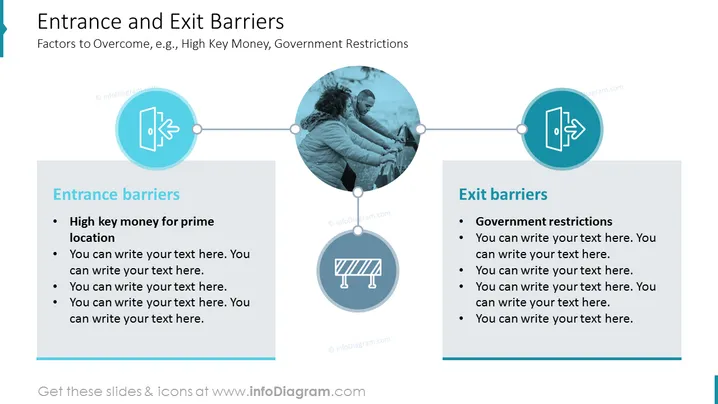
This slide presents the entry and exit barriers examples a company can encounter during expansion in foreign markets. As such examples, we gave high-key money for a prime location during entry and government restrictions as a barrier to exit. We added a text block, where you can describe all the barriers you encountered, e.g. it's difficult for new competitors because of existing monopoly, economies of scale, permissions, etc. Having this type of PowerPoint presentation shows that you outweighed the pros and cons a market has to offer, and therefore, you can draw a conclusion about whether you are ready to take the risk or not. Click on the slide to see the whole Go To Market Strategy deck for more ideas.
##Slide infographic description:
White Background, Entry Icon, Barrier Icon, Exit Icon, Text Square Blocks, Straight Line Vectors, People Pushing a Barrier Picture



