
Reviews
Sus gráficos añaden un toque agradable a mis presentaciones y recientemente los usé para una de mis reuniones generales. Su conjunto de herramientas añade profesionalismo a mis diapositivas. En lugar de usar imágenes prediseñadas estándar.
Necesitaba un aspecto fresco para algunas de mis diapositivas. Había intentado encontrar una forma de crear un efecto de pincel, de subrayar, acentuar, añadir algo de color y los marcadores escritos a mano fueron justo lo que necesitaba. Muy fácil de usar, fácil de ajustar el tamaño, cambiar el color. Fue una solución asequible y perfecta, y estoy feliz de recomendarla.
El aspecto nítido y limpio de los gráficos, y el hecho de que me permitiera editar y cambiar fácilmente los colores para que coincidieran con la plantilla fue mi principal razón para comprarlos.
Description
Energy & Time Status Icons
Slide Content
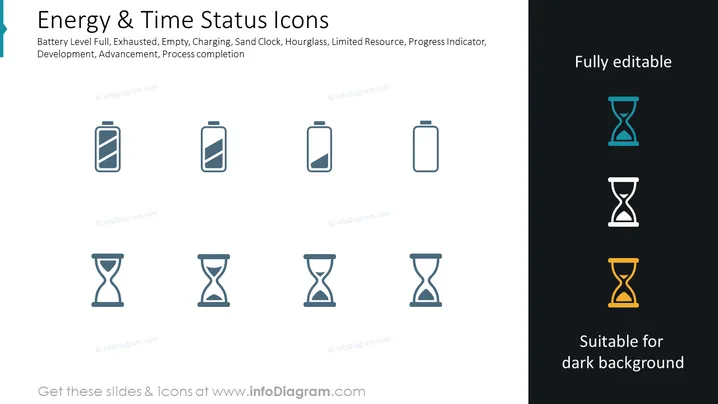
The PowerPoint slide presents a set of icons representing various levels of battery charge and time progression. These icons include Battery Level Full, indicating a complete charge; Exhausted, denoting complete discharge; Empty, meaning no charge; Charging, showing the battery is currently charging; Sand Clock, an alternative to the hourglass representing time; Hourglass, a classic symbol for time passage; Limited Resource, hinting at scarcity; Progress Indicator, suggesting a work in progress; and Process Completion, signaling the end of a process or task.
Graphical Look
- A white background takes up most of the slide, with a dark blue left margin featuring the title in white text.
- Four battery icons are shown in a row, each depicting varying charge levels from full to empty/charging using shades of blue.
- Below the batteries, the sand clock (hourglass) is repeated four times, each with differing amounts of sand depicted, using the same color scheme.
- To the right, there's a section with a dark background showcasing an hourglass filled with blue sand in the first row and an orange hourglass in the second row, both captioned with "Suitable for dark background."
- Three pieces of text above the icons describe the concepts represented: "Fully editable," "Energy & Time Status Icons," and a description of the icons' meanings.
- Overall, the visual elements include flat icons with a minimalist design, modern fonts for the text, and a consistent color palette.
The slide features a clean, professional design, with simple icons that effectively communicate varying statuses. The color contrast between the icons and backgrounds is distinct, ensuring clear visibility.
Use Cases
- To visually convey the status of project resources or timelines during business meetings or presentations.
- To enhance sections of reports that detail project phases, emphasizing areas of concern like low resources or impending deadlines.
- As part of a dashboard in company performance or status update presentations, indicating different levels of completion or remaining time for tasks.
- In training materials, to explain concepts related to energy management, time management, or process flows using symbolic representation.
How to Edit
How to edit text & colors

How to expand / shorten diagram

How to Replace Icons in infoDiagram PPT


