
Reviews
Vos graphiques ajoutent une belle touche à mes présentations et je les ai récemment utilisés pour l'une de mes réunions générales. Votre boîte à outils ajoute du professionnalisme à mes diapositives. Au lieu d'utiliser des cliparts standards.
J'avais besoin d'un nouveau regard sur certaines de mes diapositives. J'ai essayé de trouver un moyen de créer un effet de pinceau, de souligner, d'accentuer, d'ajouter de la couleur et les marqueurs manuscrits étaient exactement ce qu'il fallait. Très facile à utiliser, facile à ajuster la taille, à changer la couleur. C'était une solution abordable et parfaite et je suis heureux de la recommander.
L'aspect net et épuré des graphiques, et le fait qu'il m'ait permis d'éditer et de changer facilement les couleurs pour les adapter au modèle, ont été les principales raisons de mon achat.
Description
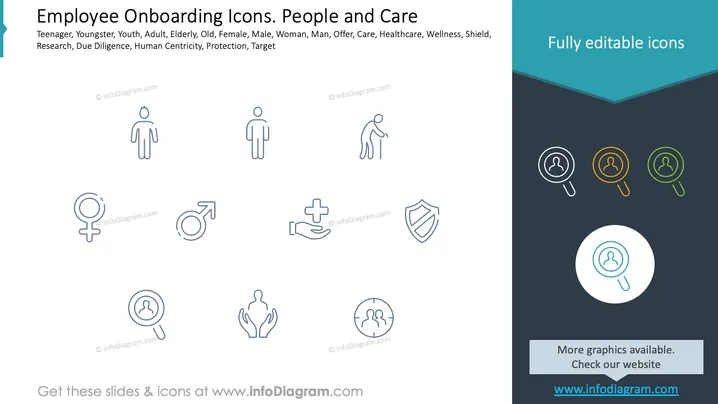
Employee Onboarding Icons. People and Care
Slide Content
The PowerPoint slide is likely part of an employee onboarding presentation, focusing on various stages of life, gender roles, and the components of a comprehensive care system within the onboarding process. It mentions Teenager, Youngster, Youth, Adult, Elderly, and differentiates by gender with symbols for Female and Male. 'Offer' may refer to the employment offer, while 'Care' suggests ongoing support, 'Healthcare' and 'Wellness' indicate benefits, 'Shield' symbolizes protection, 'Research' represents the company's diligence in understanding employee needs, and 'Due diligence, Human Centricity, and Target' likely refer to the company's approach to personalized onboarding and achieving specific HR goals.
Graphical Look
- The slide has a clean, minimalistic design with plenty of whitespace.
- A dark teal header takes up the top fifth of the slide, where the title is placed.
- Below the title, there are two columns of line icons in light gray, each accompanied by descriptive text.
- The icons represent various human figures, gender symbols, healthcare, and protection.
- There's a subtle use of color with some icons encased in colored circles towards the right.
- One icon is highlighted with a larger circle with a white fill, creating a focal point.
The overall look of the slide is modern and professional with a clear focus on visual simplicity. The use of icons and limited color palette makes the slide visually appealing and easy to interpret.
Use Cases
- During an HR presentation to introduce new employees to the company's onboarding process.
- In a training session for HR professionals to showcase the diversity and inclusivity in the workplace.
- As a visual aid in discussions about employee benefits and workplace safety programs.
- To convey the company's commitment to employee wellbeing in a management or all-staff meeting.
How to Edit
How to edit text & colors

How to expand / shorten diagram

How to Replace Icons in infoDiagram PPT


