

Your graphics add a nice touch to my presentations and I recently used them for one of my all-hands meetings. Your toolbox adds professionalism to my slides. Instead of using standard clipart.
Claude Jones, Director of Engineer, @Walmartlabs, USA

Your graphics add a nice touch to my presentations and I recently used them for one of my all-hands meetings. Your toolbox adds professionalism to my slides. Instead of using standard clipart.
Claude Jones, Director of Engineer, @Walmartlabs, USA
I needed a fresh look at some of my slides. I've tried to find a way to create a paintbrush effect, to underline, accentuate, add some color and the handwritten markers were just the things. Very easy to use, easy to size, change the color. It was an affordable, perfect solution and I'm happy to recommend it.
Anonymous, US
The crisp, clean look of the graphics, and the fact that it allowed me to easily edit and change the colors to match the template was my main reason for purchasing them.
Brandie Jenkins, E-learning Developer, USA
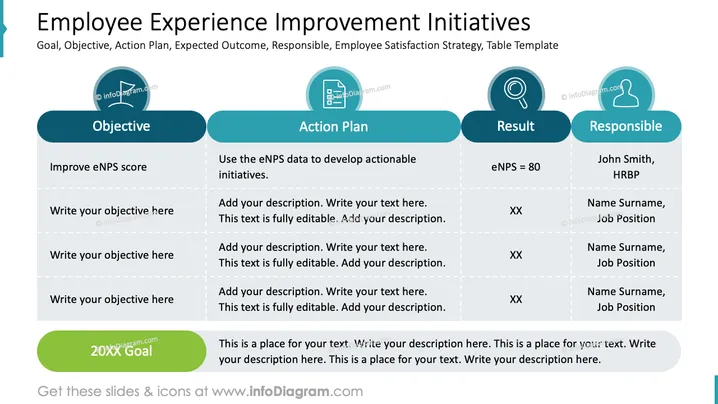
The slide outlines a strategy for improving employee experience through four sections: Objective, Action Plan, Result, and Responsible. "Improve eNPS score" aims to enhance employee net promoter scores, reflecting higher employee satisfaction. The "Action Plan" involves using eNPS data to create initiatives to improve areas of concern. "Result" indicates an expected eNPS score of 80, measuring success. The "Responsible" section identifies individual roles: John Smith, HRBP, is responsible for implementation alongside other unnamed roles. A placeholder text box is available for additional goals.
The slide has a professional and structured appearance, suitable for concise information delivery. The use of icons adds visual interest and aids in quick identification of content areas.



