
Your graphics add a nice touch to my presentations and I recently used them for one of my all-hands meetings. Your toolbox adds professionalism to my slides. Instead of using standard clipart.
Claude Jones, Director of Engineer, @Walmartlabs, USA

Your graphics add a nice touch to my presentations and I recently used them for one of my all-hands meetings. Your toolbox adds professionalism to my slides. Instead of using standard clipart.
Claude Jones, Director of Engineer, @Walmartlabs, USA

I needed a fresh look at some of my slides. I've tried to find a way to create a paintbrush effect, to underline, accentuate, add some color and the handwritten markers were just the things. Very easy to use, easy to size, change the color. It was an affordable, perfect solution and I'm happy to recommend it.
Anonymous, US
The crisp, clean look of the graphics, and the fact that it allowed me to easily edit and change the colors to match the template was my main reason for purchasing them.
Brandie Jenkins, E-learning Developer, USA
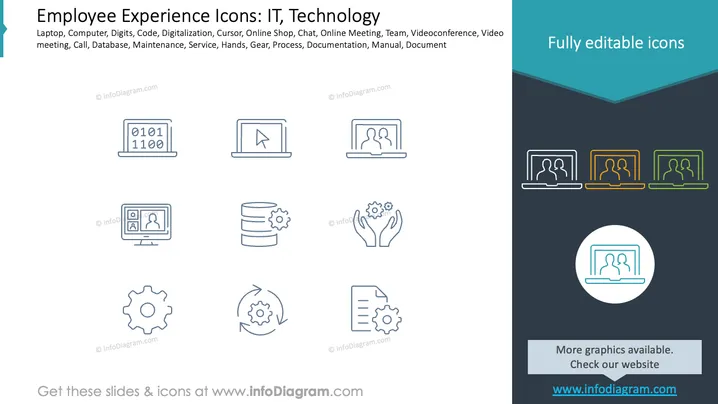
This slide showcases various icons related to employee experiences in technology and IT settings. It includes representations of various concepts:
The slide features a clean and minimalistic layout.
Icons Layout: Nine thin-lined icons are displayed, arranged in a 3x3 grid.
Color Scheme: Icons are blue, providing a uniform look across all elements.
Background: A white background enhances icon visibility and simplicity.
Side Panel: On the right, there is a dark panel with a teal section, highlighting "Fully editable icons" with sample colored icons.
Text Elements: Headers and description text in simple black font for clarity.
The overall design is sleek and professional, emphasizing a modern and minimalist aesthetic suitable for technology-oriented presentations.
Visual aid in IT workshops and training sessions.
Enhancing technology-focused business presentations.
Explaining digital transformation processes in meetings.
Supporting product demonstrations for tech solutions.


