
Reviews
Sus gráficos añaden un toque agradable a mis presentaciones y recientemente los usé para una de mis reuniones generales. Su conjunto de herramientas añade profesionalismo a mis diapositivas. En lugar de usar imágenes prediseñadas estándar.
Necesitaba un aspecto fresco para algunas de mis diapositivas. Había intentado encontrar una forma de crear un efecto de pincel, de subrayar, acentuar, añadir algo de color y los marcadores escritos a mano fueron justo lo que necesitaba. Muy fácil de usar, fácil de ajustar el tamaño, cambiar el color. Fue una solución asequible y perfecta, y estoy feliz de recomendarla.
El aspecto nítido y limpio de los gráficos, y el hecho de que me permitiera editar y cambiar fácilmente los colores para que coincidieran con la plantilla fue mi principal razón para comprarlos.
Description
4 Elements Loop
Slide Content
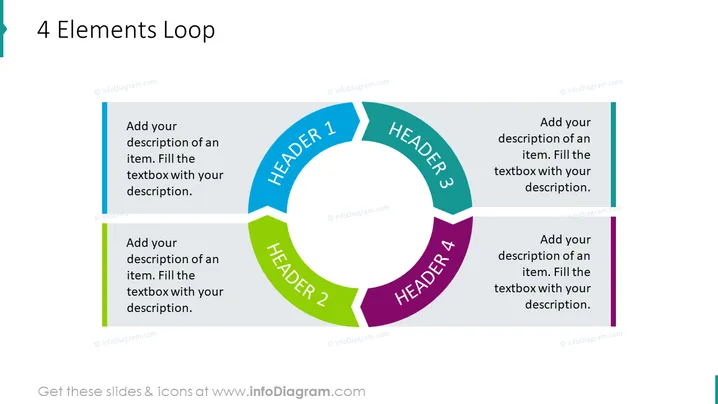
The "4 Elements Loop" slide appears to outline a cyclical process or series of stages, with four distinct segments labeled "HEADER 1" through "HEADER 4." Each header corresponds to a space for a description, suggesting the slide is a template for presenting a process with four key parts. For example, "HEADER 1" could represent the initiation phase, "HEADER 2" might denote a development stage, "HEADER 3" could indicate an implementation step, and "HEADER 4" may symbolize a review or completion phase.
Graphical Look
- The slide background is plain white, providing a neutral canvas for the content.
- At the center, a circular loop graphic is divided into four distinct colored segments representing the four elements of the process.
- Each segment is a different color: blue, green, teal, and purple, which likely assists in distinguishing the various steps or states.
- Inside each segment is a white text box with placeholder text "Add your description of an item. Fill the textbox with your description." in a sans-serif font.
- Each segment connects to a corresponding labeled "HEADER" with an arrow pointing towards the subsequent segment, emphasizing the cyclical nature of the process.
- Outside of the loop, adjacent to each segment, there is a rectangular shape with a color bar that matches the segment, providing additional space for descriptive text.
The slide has a modern and professional aesthetic, using a combination of vibrant colors and clear text to denote different stages of a process. The circular flow diagram at the center present a looped connection between the steps, suggesting an ongoing or iterative process.
Use Cases
- Presenting the phases of a project management cycle to stakeholders to clarify project flow.
- Illustrating a continuous improvement process in a business strategy presentation.
- Providing an overview of a product lifecycle from development to market release in a marketing presentation.
- Showing a feedback loop in customer relationship management during sales I'm sorry, but there is no image attached to your question. Please provide the image you would like me to describe, and I'll be happy to help.
How to Edit
How to edit text & colors

How to expand / shorten diagram

How to Replace Icons in infoDiagram PPT


