

Your graphics add a nice touch to my presentations and I recently used them for one of my all-hands meetings. Your toolbox adds professionalism to my slides. Instead of using standard clipart.
Claude Jones, Director of Engineer, @Walmartlabs, USA

Your graphics add a nice touch to my presentations and I recently used them for one of my all-hands meetings. Your toolbox adds professionalism to my slides. Instead of using standard clipart.
Claude Jones, Director of Engineer, @Walmartlabs, USA
I needed a fresh look at some of my slides. I've tried to find a way to create a paintbrush effect, to underline, accentuate, add some color and the handwritten markers were just the things. Very easy to use, easy to size, change the color. It was an affordable, perfect solution and I'm happy to recommend it.
Anonymous, US
The crisp, clean look of the graphics, and the fact that it allowed me to easily edit and change the colors to match the template was my main reason for purchasing them.
Brandie Jenkins, E-learning Developer, USA
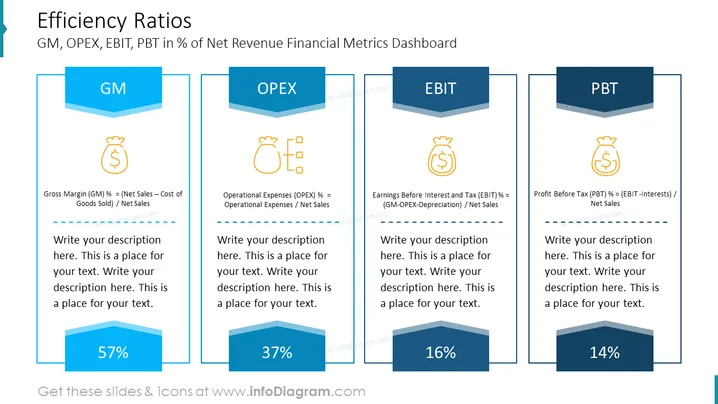
##Efficiency Ratios
This Slide Showcases A Dashboard With Financial Metrics, Specifically Efficiency Ratios Like GM, OPEX, EBIT, And PBT, Expressed As Percentages Of Net Revenue. Ideal For Financial Presentations In PowerPoint To Illustrate Key Performance Indicators.
##What Does This Efficiency Ratios Include?
##This Efficiency Ratios is a part of our Listed Company Financial Report Presentation PPT Template.



