
Reviews
Ihre Grafiken verleihen meinen Präsentationen eine nette Note, und ich habe sie kürzlich für eines meiner All-Hands-Meetings verwendet. Ihre Toolbox verleiht meinen Folien Professionalität, anstatt Standard-Clipart zu verwenden.
Ich brauchte einen neuen Blick auf einige meiner Folien. Ich habe versucht, einen Weg zu finden, einen Pinselschlag-Effekt zu erzielen, um zu unterstreichen, hervorzuheben, Farbe hinzuzufügen, und die handgeschriebenen Markierungen waren genau das Richtige. Sehr einfach zu bedienen, leicht in der Größe zu ändern, die Farbe zu ändern. Es war eine erschwingliche, perfekte Lösung und ich empfehle sie gerne weiter.
Die klare, saubere Optik der Grafiken und die Tatsache, dass ich die Farben leicht bearbeiten und an die Vorlage anpassen konnte, war mein Hauptgrund für den Kauf.
Description
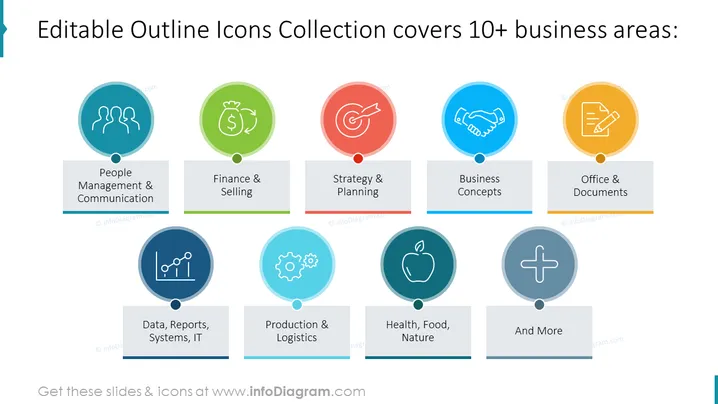
Editable Outline Icons Collection covers 10+ business areas:
Slide Content
The PowerPoint slide presents a showcase of "Editable Outline Icons Collection" that spans more than ten business areas. Each area is represented by a circle with a distinct colored icon and a label beneath indicating the specific business area: People Management & Communication, Finance & Selling, Strategy & Planning, Business Concepts, Office & Documents, Data, Reports, Systems, IT, Production & Logistics, Health, Food, Nature, and a final category named "And More" suggesting additional areas covered by the icon set.
Graphical Look
- The slide features a light background with a collection of colorful icons arranged in two rows.
- Each icon is encased in a circular shape with varying colors such as blue, green, red, orange, and light blue.
- Beneath each circular icon is a rectangular label with the name of the corresponding business area.
- The icons are connected via a subtle line to their labels, providing a visual link between the icon and the text.
- The slide utilizes a clean and modern typeface for the text.
- The overall layout is symmetrical and evenly spaced, creating a grid-like pattern.
The PowerPoint slide boasts a modern design with a balance of vibrant colors against a light backdrop, establishing a professional and engaging visual experience.
Use Cases
- Illustrating the variety of themes and topics in a business-oriented icon pack during a presentation.
- Enhancing the visual appeal of slide decks in business presentations with relevant iconography.
- Providing an overview of available graphical resources for different departments in a company meeting.
- Offering a quick reference during a workshop on visual communication in corporate settings.
How to Edit
How to edit text & colors

How to expand / shorten diagram

How to Replace Icons in infoDiagram PPT


