
Reviews
Sus gráficos añaden un toque agradable a mis presentaciones y recientemente los usé para una de mis reuniones generales. Su conjunto de herramientas añade profesionalismo a mis diapositivas. En lugar de usar imágenes prediseñadas estándar.
Necesitaba un aspecto fresco para algunas de mis diapositivas. Había intentado encontrar una forma de crear un efecto de pincel, de subrayar, acentuar, añadir algo de color y los marcadores escritos a mano fueron justo lo que necesitaba. Muy fácil de usar, fácil de ajustar el tamaño, cambiar el color. Fue una solución asequible y perfecta, y estoy feliz de recomendarla.
El aspecto nítido y limpio de los gráficos, y el hecho de que me permitiera editar y cambiar fácilmente los colores para que coincidieran con la plantilla fue mi principal razón para comprarlos.
Description
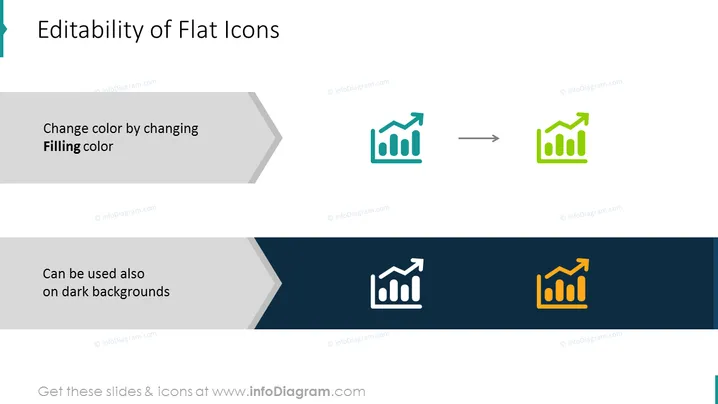
Editability of Flat Icons
Slide Content
The slide presents the flexibility of flat icons in terms of color customization for presentations. The top part demonstrates a change of color by altering the 'Filling color' of an icon, showing a before (grey icon) and after (green icon). The lower section showcases that these icons are versatile enough to be also utilized on dark backgrounds, evidenced by a white icon on a dark background that has been changed to orange.
Graphical Look
- A light blue header banner containing the slide title in white font.
- Two content sections, one light grey and one dark navy, divided by a white and grey arrow graphic, indicating a transformation process.
- Each content section has a text description in white font, explaining the usage of flat icons.
- The graphic icon of a growth chart is shown in two states: grey on a light background and green on a white background in the upper section, and white on a dark background turning to orange in the lower section.
- A stylized right arrow between the before-and-after icon representations, visually indicating the ability to change the icon colors.
The overall look of the slide is clean and modern, with a focus on contrasting colors to demonstrate the adaptability of the flat icons. The use of arrows and color changes effectively illustrates the slide's message.
Use Cases
- Demonstrating icon customization capabilities in product presentations.
- Teaching how to adjust visual elements in a design or software tutorial.
- Illustrating flexibility and adaptability of branding elements during a marketing strategy session.
- Showcasing the versatility of design assets in a graphic design workshop.
How to Edit
How to edit text & colors

How to expand / shorten diagram

How to Replace Icons in infoDiagram PPT


