
Reviews
Your graphics add a nice touch to my presentations and I recently used them for one of my all-hands meetings. Your toolbox adds professionalism to my slides. Instead of using standard clipart.
I needed a fresh look at some of my slides. I've tried to find a way to create a paintbrush effect, to underline, accentuate, add some color and the handwritten markers were just the things. Very easy to use, easy to size, change the color. It was an affordable, perfect solution and I'm happy to recommend it.
The crisp, clean look of the graphics, and the fact that it allowed me to easily edit and change the colors to match the template was my main reason for purchasing them.
Description
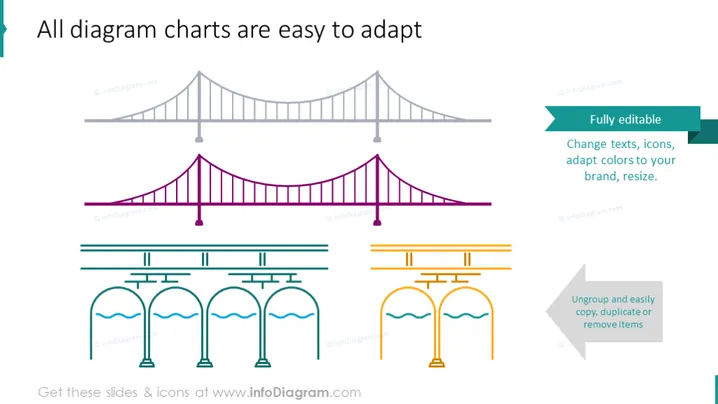
All diagram charts are easy to adapt
Slide Content
The PowerPoint slide showcases various editable diagram charts which demonstrates the flexibility and adaptability for customization. The slide emphasizes the ease of editing for users to change texts, icons, adapt colors to a specific brand, resize, ungroup, copy, duplicate, or remove items. These features imply the diagrams are versatile and can be tailored to suit different presentation needs, providing an array of options for representing data, processes, or structures in a visually engaging way.
Graphical Look
- Two pairs of bridge diagrams: the top pair is rendered in grayscale, and the bottom pair appears in a magenta and teal color scheme, emphasizing the customizability of colors.
- Below the bridge diagrams are two sets of aqueduct-like structures also demonstrating color editing: one in grayscale and one in the same magenta and teal palette.
- Two callout boxes on the right side contain text detailing editability features: one is teal with white text, and the other is a folded corner design in gray, both employing a clear, bold sans-serif font.
- The slide utilizes flat design icons and minimalistic shapes, giving it a contemporary and professional appearance.
- The consistency in design elements and the clear, uncluttered layout provide an easy-to-follow visual flow.
The overall look is clean and modern, with a straightforward presentation of the diagrams' adaptability. The crisp visuals and consistent color theme communicate a professional quality.
Use Cases
- Demonstrating the customization options of presentation templates to potential users in a business meeting.
- Training employees on how to adapt company presentations to maintain brand consistency.
- Sales presentations to highlight product versatility and customization in diagramming software.
- Workshops on presentation design, using the slide as an example of how to modify templates for various business contexts.
How to Edit
How to edit text & colors

How to expand / shorten diagram

How to Replace Icons in infoDiagram PPT


