

Your graphics add a nice touch to my presentations and I recently used them for one of my all-hands meetings. Your toolbox adds professionalism to my slides. Instead of using standard clipart.
Claude Jones, Director of Engineer, @Walmartlabs, USA

Your graphics add a nice touch to my presentations and I recently used them for one of my all-hands meetings. Your toolbox adds professionalism to my slides. Instead of using standard clipart.
Claude Jones, Director of Engineer, @Walmartlabs, USA
I needed a fresh look at some of my slides. I've tried to find a way to create a paintbrush effect, to underline, accentuate, add some color and the handwritten markers were just the things. Very easy to use, easy to size, change the color. It was an affordable, perfect solution and I'm happy to recommend it.
Anonymous, US
The crisp, clean look of the graphics, and the fact that it allowed me to easily edit and change the colors to match the template was my main reason for purchasing them.
Brandie Jenkins, E-learning Developer, USA
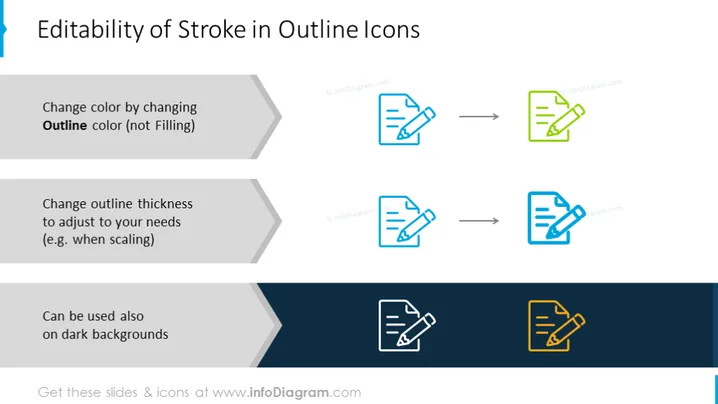
The slide presents the flexibility and customization of outline icons, demonstrating how their appearance can be altered for varied uses. It explains that the color of these icons can be changed solely by modifying the outline color, not the filling. This allows for consistency across different color schemes. It also showcases that the outline thickness can be adjusted to meet specific needs, which is particularly useful when resizing icons to maintain visual clarity. Lastly, it highlights that these icons can perform well on dark backgrounds, demonstrating versatility in different design contexts.
The slide has a clean and professional appearance with a straightforward layout that visually represents each customization option for outline icons. The graphic elements are simple yet effectively demonstrate the adaptability of stroke in outline icons.



