
Reviews
Ihre Grafiken verleihen meinen Präsentationen eine nette Note, und ich habe sie kürzlich für eines meiner All-Hands-Meetings verwendet. Ihre Toolbox verleiht meinen Folien Professionalität, anstatt Standard-Clipart zu verwenden.
Ich brauchte einen neuen Blick auf einige meiner Folien. Ich habe versucht, einen Weg zu finden, einen Pinselschlag-Effekt zu erzielen, um zu unterstreichen, hervorzuheben, Farbe hinzuzufügen, und die handgeschriebenen Markierungen waren genau das Richtige. Sehr einfach zu bedienen, leicht in der Größe zu ändern, die Farbe zu ändern. Es war eine erschwingliche, perfekte Lösung und ich empfehle sie gerne weiter.
Die klare, saubere Optik der Grafiken und die Tatsache, dass ich die Farben leicht bearbeiten und an die Vorlage anpassen konnte, war mein Hauptgrund für den Kauf.
Description
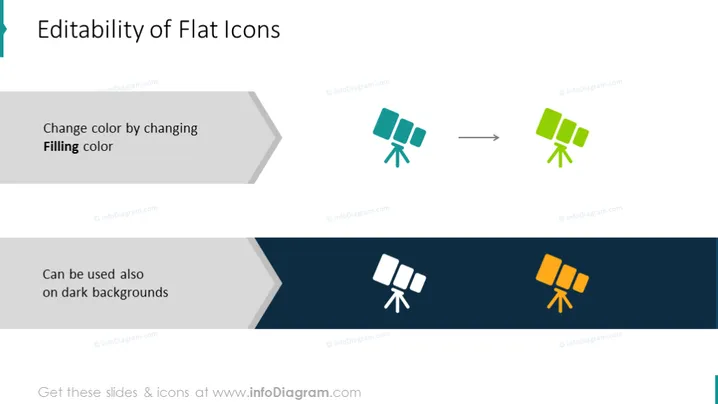
Editability of Flat Icons
Slide Content
The slide presents the concept of the "Editability of Flat Icons," specifically focusing on the ease of changing icon colors to adapt to different backgrounds. "Change color by changing Filling color" explains that icons can be recolored by altering the fill property. Below, "Can be used also on dark backgrounds" suggests that these icons retain their clarity and effectiveness even when presented on dark-colored backdrops, enhancing their versatility in various design applications.
Graphical Look
- The slide title "Editability of Flat Icons" is in large, bold font aligned to the left.
- Two blocks of text are beneath the title, each illustrating a point about icon editability.
- The first block has the text "Change color by changing Filling color," accompanied by two icon examples with an arrow between them.
- The second block, slightly offset below the first, reads "Can be used also on dark backgrounds," and is paired with two more icon examples on a dark rectangular background.
- All text is aligned to the left and is in sans-serif font.
- Arrows are used to indicate transformation or process flow.
- The color scheme is simple, with a white background on the top half and a dark blue background on the bottom half.
- Icons are stylized satellite dishes with a flat design aesthetic.
- There is a clear contrast between the icons and their backgrounds, demonstrating the editability feature.
The overall look is clean and modern, with a clear visual representation of the concept through the use of before and after icon examples. The use of contrast and color in the examples effectively conveys the message of icon versatility and editability.
Use Cases
- To illustrate the flexibility of design elements in a graphic design or branding presentation.
- In a workshop or training session on creating presentations or marketing materials.
- During a product demonstration that highlights customizable interface elements.
- In a web design pitch, to show how icons can be adapted to various themes or user customizations.
How to Edit
How to edit text & colors

How to expand / shorten diagram

How to Replace Icons in infoDiagram PPT


