
Reviews
Sus gráficos añaden un toque agradable a mis presentaciones y recientemente los usé para una de mis reuniones generales. Su conjunto de herramientas añade profesionalismo a mis diapositivas. En lugar de usar imágenes prediseñadas estándar.
Necesitaba un aspecto fresco para algunas de mis diapositivas. Había intentado encontrar una forma de crear un efecto de pincel, de subrayar, acentuar, añadir algo de color y los marcadores escritos a mano fueron justo lo que necesitaba. Muy fácil de usar, fácil de ajustar el tamaño, cambiar el color. Fue una solución asequible y perfecta, y estoy feliz de recomendarla.
El aspecto nítido y limpio de los gráficos, y el hecho de que me permitiera editar y cambiar fácilmente los colores para que coincidieran con la plantilla fue mi principal razón para comprarlos.
Description
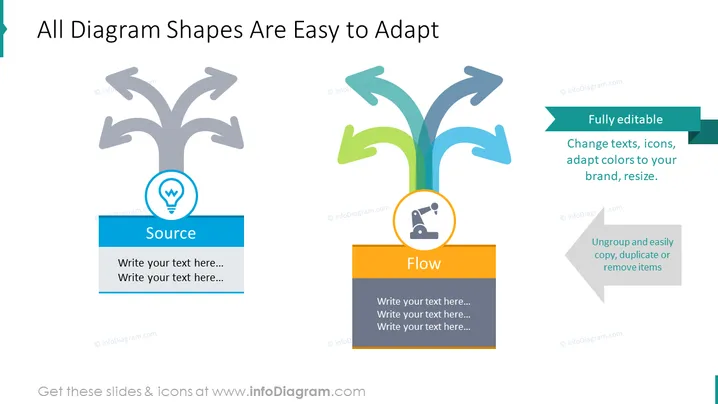
All Diagram Shapes Are Easy to Adapt
Slide Content
The PowerPoint slide presents the adaptability of diagram shapes, emphasizing that they are fully editable. This includes the ability to change texts, icons, and colors to fit one's brand, as well as resizing elements. The ease of ungrouping, copying, duplicating, or removing items is also highlighted. Two example shapes illustrate the concept: a flow diagram symbol representing "Flow" and an icon depicting a light bulb symbolizing "Source." The slide suggests that these diagrams can be tailored to fit specific presentation needs effectively.
Graphical Look
- The slide features a clean and modern design with two key diagram graphics.
- The left side shows a branching tree-like shape in grey with a light bulb icon encircled in blue, accompanied by a blue rectangle with the label "Source."
- The right side displays a similar branching shape in a gradient from green to blue, with a lab flask icon encircled in orange, placed above an orange rectangle labeled "Flow."
- The top right corner contains a text box in a green ribbon design with the phrase "Fully editable."
- Additional instructions are provided in smaller text boxes featuring arrows, indicating the customizability of the diagrams.
- There's a harmonious color palette of blue, green, and orange, and a balanced layout with diagram graphics placed symmetrically.
The overall look of the slide is professional and contemporary, with a clear visual emphasis on flexibility and user-friendliness. The color scheme is vibrant and engaging, enhancing the visual appeal of the informative content.
Use Cases
- In a corporate presentation to explain the customizable nature of provided tools or templates.
- During a training session to demonstrate how to adapt company-specific processes using editable diagrams.
- In a sales pitch to showcase the benefits and flexibility of a product that includes customizable visual elements.
- When introducing a software or service that enables personalized content creation, to emphasize ease of personalization.
How to Edit
How to edit text & colors

How to expand / shorten diagram

How to Replace Icons in infoDiagram PPT


