

Your graphics add a nice touch to my presentations and I recently used them for one of my all-hands meetings. Your toolbox adds professionalism to my slides. Instead of using standard clipart.
Claude Jones, Director of Engineer, @Walmartlabs, USA

Your graphics add a nice touch to my presentations and I recently used them for one of my all-hands meetings. Your toolbox adds professionalism to my slides. Instead of using standard clipart.
Claude Jones, Director of Engineer, @Walmartlabs, USA
I needed a fresh look at some of my slides. I've tried to find a way to create a paintbrush effect, to underline, accentuate, add some color and the handwritten markers were just the things. Very easy to use, easy to size, change the color. It was an affordable, perfect solution and I'm happy to recommend it.
Anonymous, US
The crisp, clean look of the graphics, and the fact that it allowed me to easily edit and change the colors to match the template was my main reason for purchasing them.
Brandie Jenkins, E-learning Developer, USA
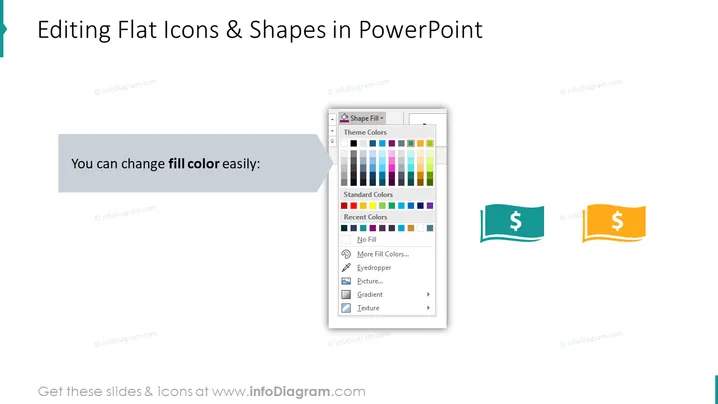
The slide is about the ease of changing the fill color for flat icons and shapes within PowerPoint. It illustrates this functionality by showing an example of a PowerPoint color fill drop-down menu with various color options, such as theme colors, standard colors, and recent colors, with additional functionalities like eyedropper and gradient being offered. Two icons, a teal flag shape with a dollar sign and an orange version of the same, exemplify how colors can be changed to suit different presentation themes or preferences.
The overall look is professional and geared towards educating viewers on PowerPoint features, specifically the customization of icon and shape colors. It uses actual interface elements to give a realistic representation of the software's functionality.



