
Reviews
Sus gráficos añaden un toque agradable a mis presentaciones y recientemente los usé para una de mis reuniones generales. Su conjunto de herramientas añade profesionalismo a mis diapositivas. En lugar de usar imágenes prediseñadas estándar.
Necesitaba un aspecto fresco para algunas de mis diapositivas. Había intentado encontrar una forma de crear un efecto de pincel, de subrayar, acentuar, añadir algo de color y los marcadores escritos a mano fueron justo lo que necesitaba. Muy fácil de usar, fácil de ajustar el tamaño, cambiar el color. Fue una solución asequible y perfecta, y estoy feliz de recomendarla.
El aspecto nítido y limpio de los gráficos, y el hecho de que me permitiera editar y cambiar fácilmente los colores para que coincidieran con la plantilla fue mi principal razón para comprarlos.
Description
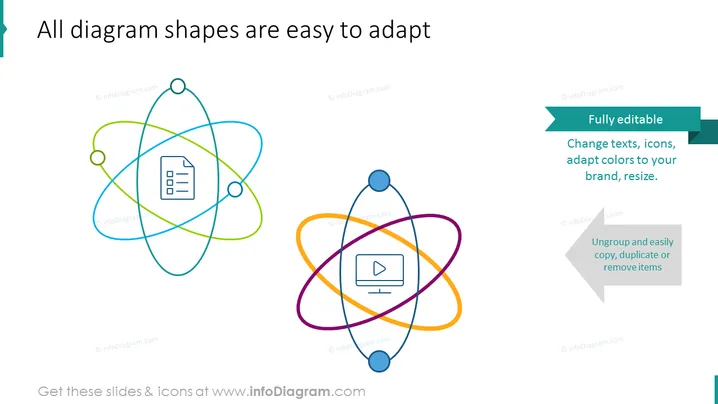
All diagram shapes are easy to adapt
Slide Content
The slide appears to emphasize the versatility and customizability of diagram shapes in a presentation environment. Two key features are highlighted: the fact that all elements are "Fully editable," which means texts, icons, and colors can be adapted to fit a particular brand or theme and resized as needed; and the ability to "Ungroup and easily copy, duplicate or remove items," which provides flexibility in modifying and repurposing slide content for various presentations.
Graphical Look
- Two overlapping diagram illustrations centered on the slide, one on the left and one on the right; they resemble atomic structures with elliptical orbits.
- The left diagram has a document icon in the center and is composed of green and blue elliptical shapes with small circles denoting potential connection points.
- The right diagram contains a video play icon in the center, comprised of purple and orange elliptical shapes with similar small circles as connection points.
- On the right-hand side of the slide, a blue banner with white text stating "Fully editable," and a smaller gray arrow-shaped banner below it with white text stating "Ungroup and easily copy, duplicate or remove items."
- The slide background is white, providing a clean contrast to the colorful diagrams and text.
The slide features a modern, simplistic design with clear visual elements to support the message of adaptability and editing ease for diagrams. The color scheme is vibrant without being overwhelming, drawing attention to the editing capabilities advertised by the slide.
Use Cases
- To introduce a new diagramming tool or feature during a software demonstration.
- When training employees on how to customize company presentations to maintain brand consistency.
- For sales presentations, to showcase the adaptability of a product that offers customizable visual elements.
- To explain to a team how to use template slides efficiently for various project presentations.
How to Edit
How to edit text & colors

How to expand / shorten diagram

How to Replace Icons in infoDiagram PPT


