
Reviews
Sus gráficos añaden un toque agradable a mis presentaciones y recientemente los usé para una de mis reuniones generales. Su conjunto de herramientas añade profesionalismo a mis diapositivas. En lugar de usar imágenes prediseñadas estándar.
Necesitaba un aspecto fresco para algunas de mis diapositivas. Había intentado encontrar una forma de crear un efecto de pincel, de subrayar, acentuar, añadir algo de color y los marcadores escritos a mano fueron justo lo que necesitaba. Muy fácil de usar, fácil de ajustar el tamaño, cambiar el color. Fue una solución asequible y perfecta, y estoy feliz de recomendarla.
El aspecto nítido y limpio de los gráficos, y el hecho de que me permitiera editar y cambiar fácilmente los colores para que coincidieran con la plantilla fue mi principal razón para comprarlos.
Description
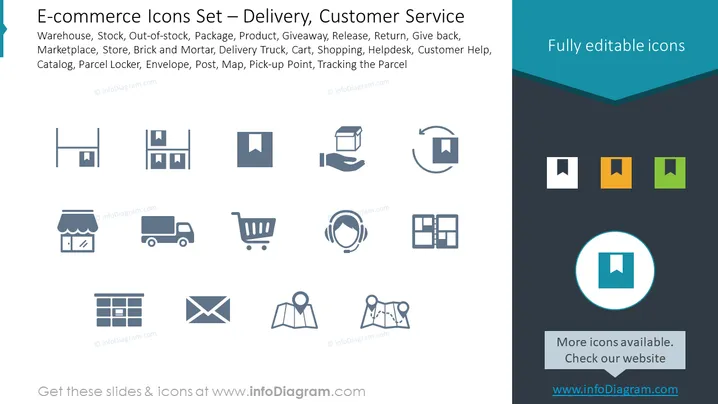
E-commerce Icons Set – Delivery, Customer Service
Slide Content
The slide presents an assortment of icons associated with e-commerce, specifically focusing on delivery and customer service aspects. The listed items include "Warehouse," indicating storage for products; "Stock," the inventory available for sale; "Out-of-stock," which signifies unavailable items; "Package," representing goods prepared for shipment; "Product," the items being offered; "Giveaway," likely referring to promotional items; "Release," which could mean launching new products; "Return" for items sent back; "Give back," aligned with return policies; "Marketplace," a platform for buying and selling; "Store," indicating a physical or online shop; "Brick and Mortar," referencing traditional street-side businesses; "Delivery Truck," for transporting goods; "Cart," the shopping utility; "Shopping," the act of purchasing; "Helpdesk," customer assistance services; "Customer Help," support offered to shoppers; "Catalog," a listing of available products; "Parcel Locker," for secure package storage; "Envelope," likely referring to mail orders; "Post," relating to postal services; "Map," navigation or location tool; "Pick-up Point," a designated place for collecting purchases; and "Tracking the Parcel," the process of monitoring the delivery status of packages.
Graphical Look
- The slide background is split diagonally with a lighter shade on the left and a darker shade on the right.
- A series of monochromatic icons are aligned in a grid pattern, each representing a different e-commerce concept as described in the content.
- The icons are simple and stylized, using minimal lines and shapes to convey the idea clearly.
- There's a prominent header with a teal-colored background at the top right, displaying "Fully editable icons".
- One icon is highlighted with a larger circle and a different color in the bottom right corner, possibly for emphasis or as an example.
- On the top right quadrant of the slide , there are four small square icons with a folded corner design, each in a different shade (teal, orange, light green, and dark green), which may represent customizable color options for the icons.
- The rest of the icons are uniformly colored in a muted blue-grey tone.
- Each icon is accompanied by a text label below it, which is not visible in the provided description but inferred from the content section.
The overall visual composition is clean and professional, using a modern and minimalist design aesthetic. The icons are readily identifiable and the color contrast ensures they stand out on the slide's dual-tone background.
Use Cases
- Presenting visual aids during an e-commerce platform demonstration to illustrate different features and services.
- Using as part of a training module for customer service representatives to familiarize them with various aspects of e-commerce operations.
- Incorporating into a pitch deck for a startup or new service that operates within the online marketplace and delivery ecosystem.
- Enhancing the visual component of a business report or analysis focusing on e-commerce trends, delivery logistics, and customer service efficiency.
How to Edit
How to edit text & colors

How to expand / shorten diagram

How to Replace Icons in infoDiagram PPT


