
Reviews
Your graphics add a nice touch to my presentations and I recently used them for one of my all-hands meetings. Your toolbox adds professionalism to my slides. Instead of using standard clipart.
I needed a fresh look at some of my slides. I've tried to find a way to create a paintbrush effect, to underline, accentuate, add some color and the handwritten markers were just the things. Very easy to use, easy to size, change the color. It was an affordable, perfect solution and I'm happy to recommend it.
The crisp, clean look of the graphics, and the fact that it allowed me to easily edit and change the colors to match the template was my main reason for purchasing them.
Description
E-commerce Hand-drawn Markers and Clipart
Slide Content
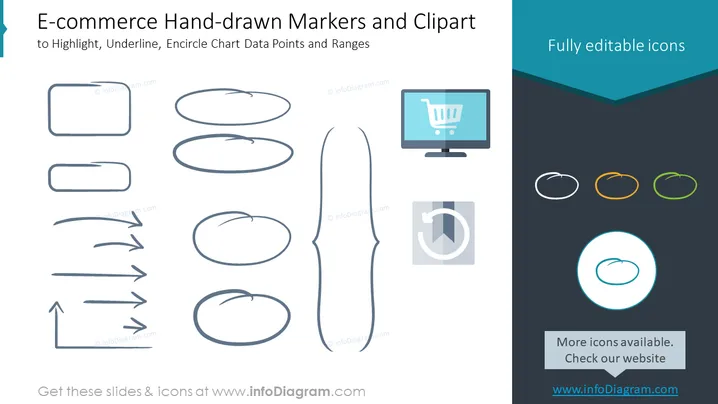
The PowerPoint slide is designed to present a set of hand-drawn style graphical elements that can be used to highlight, underline, and encircle chart data points and ranges specifically for e-commerce presentations. It includes a variety of shapes: rectangles and ellipses for encircling or highlighting information, lines and arrows for underlining or indicating direction, and a pair of icons, one depicting a shopping cart on a computer monitor, signifying online shopping, and another pie chart icon, illustrating data representation or analytics. These elements are described as "Fully editable icons," suggesting they can be customized in color and size to fit different presentation needs.
Graphical Look
- The slide's background is a clean, white color with a large turquoise banner across the top that contains the slide title.
- On the left side, there are several hand-drawn shapes (rectangles, ellipses, arrows, and a bracket) meant to simulate human-drawn marking elements.
- In the center of the slide, a single larger, hand-drawn bracket shape spans nearly top to bottom, creating a visual divider between the left and right content.
- The right side has a dark grey area that complements the turquoise color of the banner, housing additional icons, including a stylized monitor with a shopping cart on the screen and a pie chart with a segment pulled out, both emphasizing e-commerce themes.
- Three small colored circles are lined up horizontally, each encircling a hand-drawn ellipse, showing the icons' editability in different colors.
- One larger circle at the bottom right, encapsulating a hand-drawn ellipse, stands out due to its larger size and contrasting outline, reiterating the icon customization feature.
The overall look of the slide is modern and creative, with a semi-professional hand-drawn aesthetic that adds a personal touch. The design is visually balanced, with icons and shapes well-distributed across the space, creating a sense of organization and flow.
Use Cases
- To emphasize key points in e-commerce performance reports, such as highlighting important data, trends, or areas needing attention.
- During marketing strategy presentations to underline success metrics, customer journey touchpoints, or conversion rates.
- In product development meetings, using the shapes to circle feedback on user interface designs or to point out areas of a web page mockup.
- When creating visual aids for training materials or online tutorials that guide users through e-commerce platform features or analytics tools.
How to Edit
How to edit text & colors

How to expand / shorten diagram

How to Replace Icons in infoDiagram PPT


