
Reviews
Ihre Grafiken verleihen meinen Präsentationen eine nette Note, und ich habe sie kürzlich für eines meiner All-Hands-Meetings verwendet. Ihre Toolbox verleiht meinen Folien Professionalität, anstatt Standard-Clipart zu verwenden.
Ich brauchte einen neuen Blick auf einige meiner Folien. Ich habe versucht, einen Weg zu finden, einen Pinselschlag-Effekt zu erzielen, um zu unterstreichen, hervorzuheben, Farbe hinzuzufügen, und die handgeschriebenen Markierungen waren genau das Richtige. Sehr einfach zu bedienen, leicht in der Größe zu ändern, die Farbe zu ändern. Es war eine erschwingliche, perfekte Lösung und ich empfehle sie gerne weiter.
Die klare, saubere Optik der Grafiken und die Tatsache, dass ich die Farben leicht bearbeiten und an die Vorlage anpassen konnte, war mein Hauptgrund für den Kauf.
Description
E-commerce Hand-drawn Markers and Clipart
Slide Content
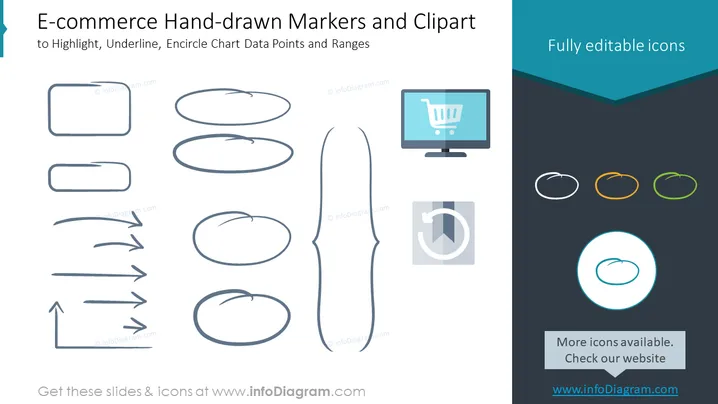
The PowerPoint slide is designed to present a set of hand-drawn style graphical elements that can be used to highlight, underline, and encircle chart data points and ranges specifically for e-commerce presentations. It includes a variety of shapes: rectangles and ellipses for encircling or highlighting information, lines and arrows for underlining or indicating direction, and a pair of icons, one depicting a shopping cart on a computer monitor, signifying online shopping, and another pie chart icon, illustrating data representation or analytics. These elements are described as "Fully editable icons," suggesting they can be customized in color and size to fit different presentation needs.
Graphical Look
- The slide's background is a clean, white color with a large turquoise banner across the top that contains the slide title.
- On the left side, there are several hand-drawn shapes (rectangles, ellipses, arrows, and a bracket) meant to simulate human-drawn marking elements.
- In the center of the slide, a single larger, hand-drawn bracket shape spans nearly top to bottom, creating a visual divider between the left and right content.
- The right side has a dark grey area that complements the turquoise color of the banner, housing additional icons, including a stylized monitor with a shopping cart on the screen and a pie chart with a segment pulled out, both emphasizing e-commerce themes.
- Three small colored circles are lined up horizontally, each encircling a hand-drawn ellipse, showing the icons' editability in different colors.
- One larger circle at the bottom right, encapsulating a hand-drawn ellipse, stands out due to its larger size and contrasting outline, reiterating the icon customization feature.
The overall look of the slide is modern and creative, with a semi-professional hand-drawn aesthetic that adds a personal touch. The design is visually balanced, with icons and shapes well-distributed across the space, creating a sense of organization and flow.
Use Cases
- To emphasize key points in e-commerce performance reports, such as highlighting important data, trends, or areas needing attention.
- During marketing strategy presentations to underline success metrics, customer journey touchpoints, or conversion rates.
- In product development meetings, using the shapes to circle feedback on user interface designs or to point out areas of a web page mockup.
- When creating visual aids for training materials or online tutorials that guide users through e-commerce platform features or analytics tools.
How to Edit
How to edit text & colors

How to expand / shorten diagram

How to Replace Icons in infoDiagram PPT


