
Reviews
Sus gráficos añaden un toque agradable a mis presentaciones y recientemente los usé para una de mis reuniones generales. Su conjunto de herramientas añade profesionalismo a mis diapositivas. En lugar de usar imágenes prediseñadas estándar.
Necesitaba un aspecto fresco para algunas de mis diapositivas. Había intentado encontrar una forma de crear un efecto de pincel, de subrayar, acentuar, añadir algo de color y los marcadores escritos a mano fueron justo lo que necesitaba. Muy fácil de usar, fácil de ajustar el tamaño, cambiar el color. Fue una solución asequible y perfecta, y estoy feliz de recomendarla.
El aspecto nítido y limpio de los gráficos, y el hecho de que me permitiera editar y cambiar fácilmente los colores para que coincidieran con la plantilla fue mi principal razón para comprarlos.
Description
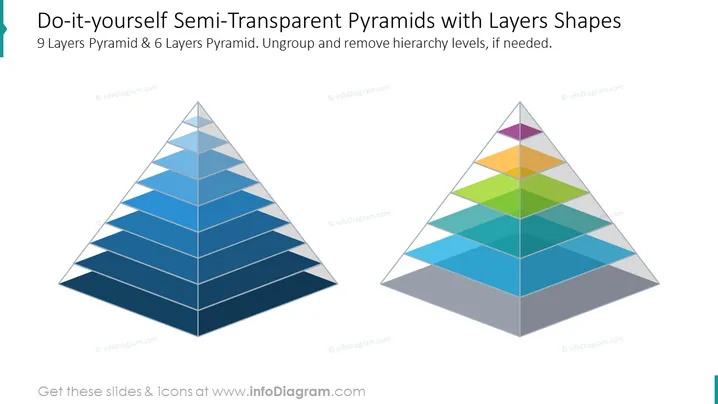
Do-it-yourself Semi-Transparent Pyramids with Layers Shapes
Slide Content
The slide showcases two pyramids, a 9-layer pyramid and a 6-layer pyramid, emphasizing a do-it-yourself approach to demonstrating hierarchical structures with varying levels of detail. Each layer can represent a level in an organizational structure or a step in a process, and the semi-transparency suggests both separation and connectivity among the levels. The ability to ungroup and remove layers allows for customization depending on the complexity required.
Graphical Look
- Two large pyramid diagrams dominate the slide, positioned side by side.
- The pyramid on the left has 9 layers shaded in gradients of blue, moving from light at the top to dark at the bottom.
- The pyramid on the right has 6 layers, each shaded with a different color, creating a vibrant contrast against the blue pyramid.
- Both pyramids have a 3D effect, giving an illusion of depth on the slide.
- The pyramids have a semi-transparent look that allows for overlap visibility.
- The slide's background is plain white, which enhances the visibility of the colorful pyramids.
The slide exhibits a clean and modern design, using color and transparency to depict hierarchy and interconnectivity. The 3D effect on the pyramids adds depth to the visual presentation.
Use Cases
- Illustrating organizational structures, wherein each layer of the pyramid could represent a different management level or department.
- Demonstrating a step-by-step approach to a strategy or process, with each step detailed in its respective pyramid layer.
- Presenting different levels of product or service offerings, possibly in a tier-based pricing model.
- Conducting training or educational sessions focusing on the breakdown of complex systems into manageable parts.
How to Edit
How to edit text & colors

How to expand / shorten diagram

How to Replace Icons in infoDiagram PPT


