
Reviews
Sus gráficos añaden un toque agradable a mis presentaciones y recientemente los usé para una de mis reuniones generales. Su conjunto de herramientas añade profesionalismo a mis diapositivas. En lugar de usar imágenes prediseñadas estándar.
Necesitaba un aspecto fresco para algunas de mis diapositivas. Había intentado encontrar una forma de crear un efecto de pincel, de subrayar, acentuar, añadir algo de color y los marcadores escritos a mano fueron justo lo que necesitaba. Muy fácil de usar, fácil de ajustar el tamaño, cambiar el color. Fue una solución asequible y perfecta, y estoy feliz de recomendarla.
El aspecto nítido y limpio de los gráficos, y el hecho de que me permitiera editar y cambiar fácilmente los colores para que coincidieran con la plantilla fue mi principal razón para comprarlos.
Description
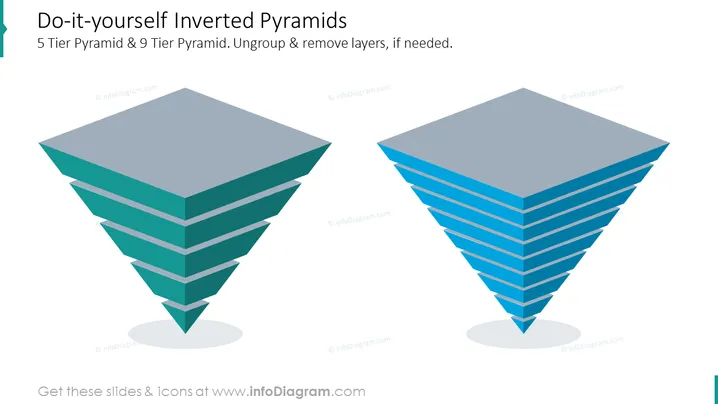
Do-it-yourself Inverted Pyramids
Slide Content
This PowerPoint slide presents a concept of "Do-it-yourself Inverted Pyramids" with two 3D models, one illustrating a "5 Tier Pyramid" and the other a "9 Tier Pyramid." The instruction to "Ungroup & remove layers, if needed," suggests these pyramids can be customized for specific presentations. Each tier could represent hierarchical levels of information, or steps in a process with the most significant component at the bottom, expanding upward to the less critical elements.
Graphical Look
- Two three-dimensional inverted pyramid diagrams positioned side by side, dominating the slide.
- The left diagram is smaller, made up of five horizontal layers with varying shades of teal, representing the 5-tier pyramid.
- The diagram on the right is larger, consisting of nine layers with shades of blue, representing the 9-tier pyramid.
- Both pyramids cast a light gray shadow beneath them, enhancing the 3D effect.
- The background of the slide is white, offering a stark contrast to the colored pyramids.
- No additional icons or decorative elements are present, focusing attention solely on the pyramid graphics.
The slide has a clean, professional appearance with a minimalist design that highlights the two inverted pyramid diagrams. The color gradient on both pyramids provides a visual cue to differentiate the layers clearly.
Use Cases
- To showcase a hierarchy of company values or operational principles, from the broad base to pinnacle priorities.
- Illustrating the component layers of a complex product or service, indicating the foundational elements at the bottom.
- As a visual metaphor for inverted organizational structures, where a wide base of employees supports fewer managers at the top.
- In a strategic planning context to represent the distribution of resources or attention across different levels of a strategy.
How to Edit
How to edit text & colors

How to expand / shorten diagram

How to Replace Icons in infoDiagram PPT


