
Reviews
Your slides are my "secret sauce" when it comes to presenting my ideas to clients. I save a lot of time.
J'avais un délai de livraison à respecter et je n'avais pas le temps de créer une variété de modèles de diapositives. Infodiagram m'a proposé des options faciles à télécharger et à personnaliser en fonction de mes besoins !
Vos diapositives suscitent souvent de précieux commentaires et idées de la part de mon équipe, ce qui améliore les diapositives finales.
Description
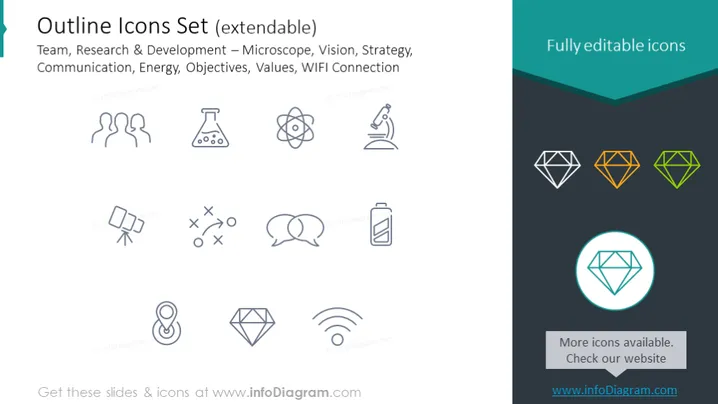
Outline Icons Set (extendable)
Slide Content
The PowerPoint slide showcases an "Outline Icons Set" that is described as extendable. These icons represent concepts such as Team (stylized human figures), Research & Development (a microscope symbolizing scientific study, and an atom representing atomic or molecular research), Vision (an eye icon), Strategy (chess piece implying tactical planning), Communication (speech bubbles), Energy (a battery indicating power sources), Objectives (a checkmark inside a location pin pointing to goals or destinations), Values (a diamond shape suggesting precious principles), and WIFI Connection (the familiar wireless signal icon).
Graphical Look
- The slide background is white on the left, with text, and transitions to dark teal on the right with highlighted icons.
- There are two columns of icons in a light grey color; the left column icons represent various concepts such as team, research, strategy, communication, and energy.
- The right column includes icons representing ideas such as objectives, values, and WIFI connection.
- Three colorful diamond icons are displayed on the right side, with different colors: grey, orange, and green.
- One of the diamond icons is enlarged in a circle with a light blue outline, emphasizing its importance or selection.
- A dark teal banner with white text spans the top portion of the right half, reading "Fully editable icons."
- Below the enlarged diamond icon, text in white reads "More icons available. Check our website" with a URL provided.
- Icons are all styled as outlines without any fill, giving a modern and clean aesthetic. The slide has a minimalistic and professional look with a simple color palette and clear, outlined icons. The use of color highlights certain elements and creates a focal point to draw the eye.
Use Cases
- Introducing a new project or business strategy, utilizing icons to visually represent key concepts.
- Enhancing communication in a corporate training session, with icons aiding the retention of information.
- Designing marketing materials or product presentations where visual simplicity and quick concept recognition are needed.
- Creating infographics or reports that require thematic icons to delineate different sections or topics.
How to Edit
How to edit text & colors

How to expand / shorten diagram

How to Replace Icons in infoDiagram PPT


