
Reviews
Ihre Grafiken verleihen meinen Präsentationen eine nette Note, und ich habe sie kürzlich für eines meiner All-Hands-Meetings verwendet. Ihre Toolbox verleiht meinen Folien Professionalität, anstatt Standard-Clipart zu verwenden.
Ich brauchte einen neuen Blick auf einige meiner Folien. Ich habe versucht, einen Weg zu finden, einen Pinselschlag-Effekt zu erzielen, um zu unterstreichen, hervorzuheben, Farbe hinzuzufügen, und die handgeschriebenen Markierungen waren genau das Richtige. Sehr einfach zu bedienen, leicht in der Größe zu ändern, die Farbe zu ändern. Es war eine erschwingliche, perfekte Lösung und ich empfehle sie gerne weiter.
Die klare, saubere Optik der Grafiken und die Tatsache, dass ich die Farben leicht bearbeiten und an die Vorlage anpassen konnte, war mein Hauptgrund für den Kauf.
Description
Icons: Distribution, Retail
Slide Content
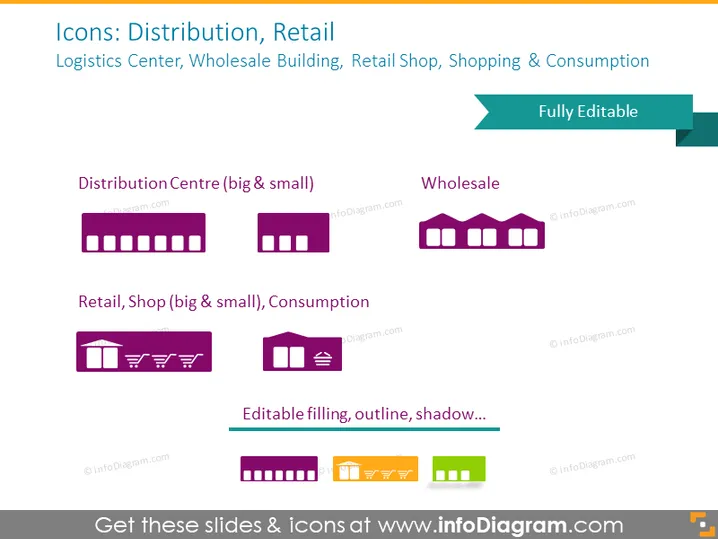
The PowerPoint slide titled "Icons: Distribution, Retail" presents a collection of stylized icons representing various aspects of the supply chain, including a "Distribution Centre" (for both large and small scales), "Wholesale," and "Retail Shop" (also for large and small scales) paired with "Consumption." These icons can be used to visually depict different stages and entities in the distribution and retail industry, aiding in conceptual clarity and enhancing presentation aesthetics. Each icon set comes with a descriptor underneath, mentioning that they represent major and minor facilities or shops.
Graphical Look
- The slide background is a solid dark color.
- The title "Icons: Distribution, Retail" is situated at the top, in a larger bold font, with a subtitle beneath in a smaller font size providing additional topics covered by the icons.
- Two rows of icons are displayed against the dark background, each with a pair of corresponding icons representing large and small scales.
- Icons are depicted in a flat graphic style, using purple and shades of green for accents.
- Text labels are positioned below each pair of icons, describing what they represent.
- A tag labeled "Fully Editable" is overlaid on the right side of the slide, suggesting the editability of the icons.
- The bottom part of the slide features a horizontal bar showcasing different icon styles available, with example icons in various colors and shading effects.
The overall look of the slide is modern and minimalistic, with a professional appearance due to the uniform color scheme and consistent iconography style. The use of contrasting colors and clear labels makes it easy to distinguish between different elements.
Use Cases
- To visually enhance sections in a business presentation that discuss supply chain management, logistics, or retail strategy.
- For educational purposes, in teaching materials that explain the stages of product distribution from centers to end consumers.
- Within marketing collateral, to represent the different types of stores or facilities a company operates. I cannot provide the requested information as the image contains watermarks and references to the source of the slides.
How to Edit
How to edit text & colors

How to expand / shorten diagram

How to Replace Icons in infoDiagram PPT


