
Reviews
Sus gráficos añaden un toque agradable a mis presentaciones y recientemente los usé para una de mis reuniones generales. Su conjunto de herramientas añade profesionalismo a mis diapositivas. En lugar de usar imágenes prediseñadas estándar.
Necesitaba un aspecto fresco para algunas de mis diapositivas. Había intentado encontrar una forma de crear un efecto de pincel, de subrayar, acentuar, añadir algo de color y los marcadores escritos a mano fueron justo lo que necesitaba. Muy fácil de usar, fácil de ajustar el tamaño, cambiar el color. Fue una solución asequible y perfecta, y estoy feliz de recomendarla.
El aspecto nítido y limpio de los gráficos, y el hecho de que me permitiera editar y cambiar fácilmente los colores para que coincidieran con la plantilla fue mi principal razón para comprarlos.
Description
Topics for discussion – flags list
Slide Content
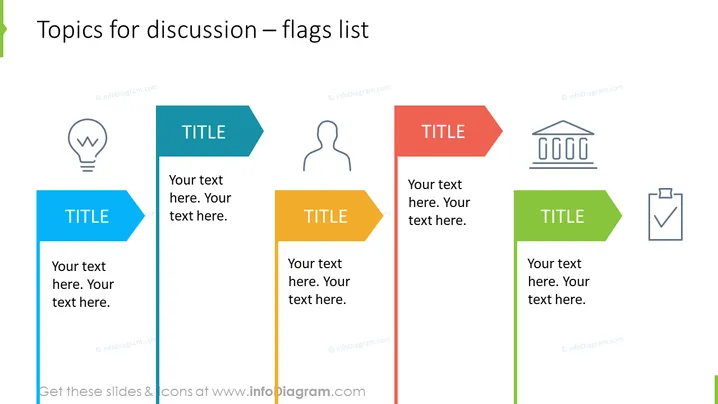
The slide titled "Topics for discussion – flags list" appears to be a template for a presentation where you can outline various discussion points or agenda items. It is visually divided into four sections, each with a different colored flag-like shape which serves as a place for a title and additional text. The prominence of the title suggests these are major points or topics. Each section also contains an icon, serving as a visual cue for the topic:
- A light bulb icon could represent an idea or innovation.
- A silhouette of a person might denote a focus on customers or team members.
- An icon representing a classical building could stand for history, foundational concepts, or institutions.
- A checklist icon implies discussion about tasks, completion, or goals.
Graphical Look
- The slide background is white, which gives a clean and minimalistic look.
- There are four primary colored flag-like shapes—blue, orange, red-orange, and green; each with a title placeholder and space for text.
- The color palette is vibrant, creating a clear distinction between the different sections.
- Each flag-like shape is paired with a monochrome icon, enhancing the understanding of each point.
- The icons are simple line drawings, adding visual interest without being distracting.
- The shapes have a look of being pinned or attached to the slide as if they were floating flags, giving the slide a dynamic feel.
- The title of the slide is left-aligned at the top in a large, bold font.
The slide has a well-organized, clean, and modern design. The use of color and icons makes it easy to distinguish between different topics.
Use Cases
- This slide could be used to introduce the main points of discussion in a team meeting or workshop.
- Presenters might use this slide to outline the agenda for a training session or conference.
- The slide can serve as a way to present strategies or solutions for different areas within a project or business plan.
- It could be utilized for summarizing key findings or decisions in a clear and visually engaging way at the end of a presentation.
How to Edit
How to edit text & colors

How to expand / shorten diagram

How to Replace Icons in infoDiagram PPT


